


How to Test Touch Response on Replacement Screens?

Touch response is one of the fastest ways a replacement screen fails after installation - and one of the hardest problems to catch by looking at a sample under a light. A screen can display perfectly and still have a dead corner, a delayed swipe, or a ghost-touch fault that only shows up after a few days of real use. For wholesale buyers, that gap between "looks fine" and "performs fine" is where return rates, warranty claims and reputation risk actually come from. This guide walks through what touch response testing should cover, a practical workflow for checking samples before a bulk order, and a checklist your procurement or QC team can reuse for every incoming batch.
This article is part of our iPhone LCD Screen Quality Control Guide for Wholesale Buyers, which covers the full inspection process buyers should apply before increasing order volume with any supplier.
Why Touch Response Testing Matters for Wholesale Buyers?
A display defect is usually visible the moment a technician opens the box. A touch defect often is not. It can pass a quick visual check, get installed, and only surface after the end customer has been using the phone for a few days - which is the worst possible time for it to appear, because by then the cost has moved from "reject one unit" to "handle a comeback."
For a repair chain or distributor buying in volume, weak touch performance translates directly into business costs:
- Higher return rates on units that were accepted at incoming inspection but fail in the field.
- Customer complaints that damage the relationship between the repair shop and its own end customers.
- Reinstallation labor, since a touch fault after installation usually means removing and replacing the unit rather than a quick adjustment.
- Warranty costs, particularly when the buyer has already covered labor and cannot fully recover it from the supplier.
- Distributor reputation, since a batch of unreliable screens reaching multiple repair partners can affect trust in the whole product line, not just one order.
Touch testing should be treated as part of how a buyer evaluates a supplier - alongside display quality, packaging and lead time - rather than as an afterthought performed only when something already feels wrong.
Common Touch Response Problems in Replacement Screens
Buyers who test samples regularly tend to see the same handful of issues. Knowing what each one looks like - and what it does and does not tell you - makes sample evaluation faster and more consistent.
Dead Touch Areas
- Symptoms: A portion of the screen does not register touch at all, even though the display shows an image normally in that area.
- Possible causes: A dead zone can come from a touch-layer defect, a poor connection between the touch digitizer and the flex cable, or physical damage introduced during installation or shipping.
- Business impact: Dead zones are usually easy to catch during a structured test, but easy to miss during a casual glance - which is exactly why full-coverage testing matters more than a quick swipe across the middle of the screen.
Slow Touch Response
- Symptoms: The screen registers touch, but there is a noticeable lag between the tap or swipe and the on-screen reaction.
- Possible causes: This can point to a lower-grade touch controller, a compatibility mismatch between the touch layer and the phone's logic board, or inconsistent calibration between units in the same batch.
- Business impact: Slow response is a common source of end-user complaints even when the unit is technically "working," because it changes how the phone feels to use.
Ghost Touch
- Symptoms: The screen registers taps, swipes or keystrokes that nobody made.
- Possible causes: Ghost touch can stem from a defective touch layer, electromagnetic interference from a poor installation, or a damaged flex connector.
- Business impact: This is one of the highest-risk defects for return rates, since it is disruptive enough that most end users will bring the device back rather than tolerate it.
Edge Touch Failure
- Symptoms: Touch response near the outer edges of the screen - where swipe-back gestures and edge keyboards are used - is unreliable or absent.
- Why edge areas matter: Edge zones are more sensitive to lamination quality and frame alignment than the center of the screen, so they are a useful indicator of overall build consistency.
- How buyers should test: Edge response should be checked deliberately, since it is the area most likely to be skipped in a quick center-of-screen test.
Multi-Touch Problems
- Symptoms: Gestures that require multiple simultaneous touch points - pinch-to-zoom, two-finger scrolling - do not register correctly.
- Functional impact: Multi-touch issues affect everyday use in ways that are immediately obvious to the end user, which makes this an important part of any pre-order inspection rather than an optional extra.
It is worth being direct about one thing: not every touch problem found after installation is a manufacturing defect. Installation technique, the condition of the original device (a damaged logic board or connector, for example), and connection issues introduced during the repair can all produce symptoms that look identical to a screen-side fault. This is why testing on known-good, unmodified test units - rather than relying on comebacks alone - gives a clearer picture of the screen itself.

How to Test Touch Response on Replacement Screens Before Bulk Ordering?
A reliable evaluation does not depend on a single sample or a single tester's impression. It follows a repeatable process.
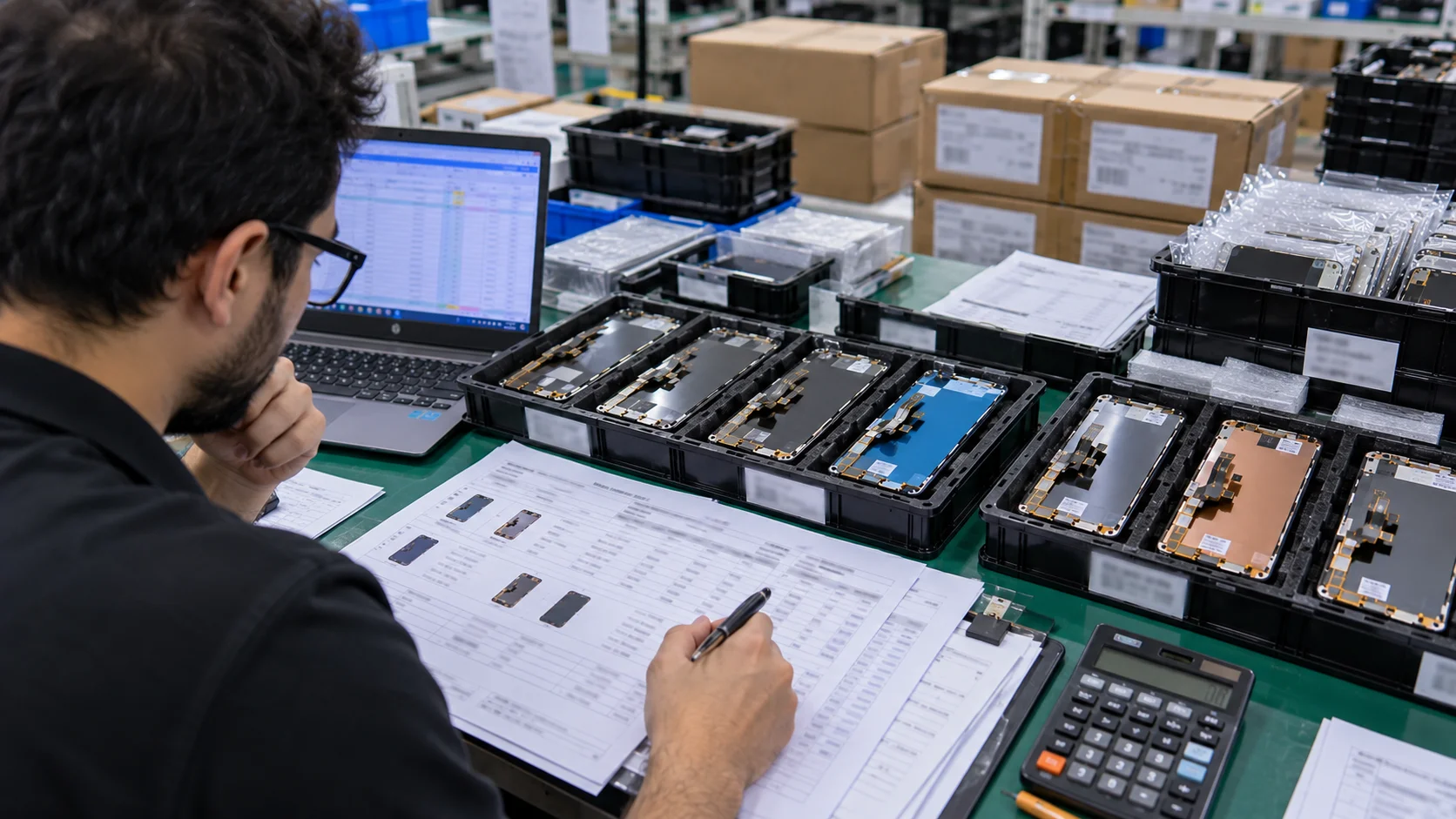
- Step 1: Prepare sample units. Request enough samples to represent normal production variation rather than a single hand-picked unit. One screen tells you what one screen can do; it does not tell you what a batch of a thousand will do.
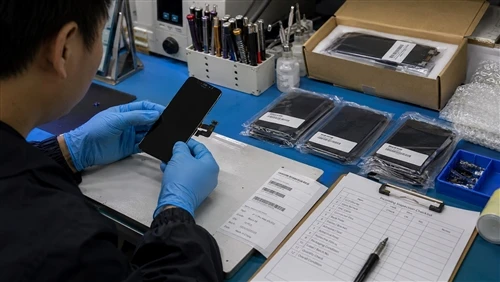
- Step 2: Test full-screen touch coverage. Systematically check the center, the four corners, and the outer edges. A test pattern that only covers the middle of the screen will miss exactly the kind of localized dead zones and edge failures described above.
- Step 3: Test typing and gesture response. Go beyond simple taps. Check swiping, pinching, dragging and multi-touch gestures under normal use conditions, since some faults only appear under specific interaction types rather than a flat tap test.
- Step 4: Repeat testing on multiple units. A single unit only confirms how that one screen performs - it says nothing about how the rest of the batch was handled during lamination, calibration or final assembly. Running the same iPhone LCD sample-testing process across several units from the same sample batch is what turns "this one screen works" into "this supplier's screens are consistent."
- Step 5: Record inspection results. Keep a written or photographic record of what was tested, on which units, and what was found. These records matter for two reasons: they give you something concrete to raise with the supplier if a problem appears, and they create a baseline you can compare against once a bulk shipment arrives.
Replacement Screen Touch Testing Checklist for Wholesale Buyers
| Inspection Item | Testing Method | Quality Risk |
|---|---|---|
| Full screen touch coverage | Tap and drag across center, all four corners, and edges | Missed dead zones lead to field failures after installation |
| Edge sensitivity | Test swipe-back gestures and edge-keyboard input near the screen border | Edge faults are easy to overlook in a quick visual check |
| Multi-touch response | Perform pinch-to-zoom and two-finger scroll gestures | Multi-touch failures are highly visible to end users |
| Touch delay | Compare response speed to a known-good reference unit | Slow response drives usability complaints even without a hard fault |
| Ghost touch detection | Leave the screen untouched and observe for unintended input over several minutes | High return risk; disruptive to end users |
| Repeated operation stability | Repeat the same gestures multiple times to check for inconsistent results | Intermittent faults can pass a one-time test and still fail in the field |
| Sample consistency | Compare results across multiple units from the same sample batch | A single good sample does not guarantee batch-wide performance |
This table is meant to be used, not just read - procurement and QC teams can apply it directly to incoming samples and reuse it for every new supplier or batch.
Need help applying this checklist to an actual order? Request our LCD sample-testing checklist and QC requirements before your next bulk order, and our team will walk through it with you against the specific models you're sourcing.

Sample Testing vs Bulk Order Quality Verification
Sample approval is the starting point, not the finish line. A supplier can provide excellent samples and still ship a bulk order with different performance, particularly if the sample units were selected or handled differently from standard production runs. Professional buyers should evaluate suppliers that have clear sample-to-bulk consistency controls before increasing order volume, since this is what separates a supplier who can produce one good screen from a supplier who can produce ten thousand consistent ones.
In practice, that means treating sample performance, mass production consistency, incoming inspection on the arriving shipment, and batch verification as four separate checkpoints - not as one step that gets marked "done" after the sample is approved.
How Professional LCD Suppliers Control Touch Quality?
From a manufacturer's side, consistent touch performance is normally the result of checks built into multiple stages of production rather than a single final test:
- Incoming material inspection on the touch layer and related components before assembly begins.
- Assembly inspection to catch alignment or connection issues introduced during the build.
- Functional testing to confirm the display and touch layer both operate correctly.
- Touch testing specifically targeting coverage, sensitivity and multi-touch response.
- Final QC inspection before packaging.
- Batch records that document what was tested and what was found, so results can be traced back if a problem is reported later.
One practice worth asking about specifically: professional suppliers should compare touch performance between random samples drawn from the same production batch, rather than testing each finished unit in isolation. Spot-checking across a batch - not just clearing each unit individually - is what catches a drift in calibration or lamination quality before it reaches a buyer's shipment.
Buyers evaluating a new supplier should ask how these stages are actually structured, rather than assuming a supplier's process matches this list by default.

Common Mistakes Buyers Make When Testing Replacement Screens
- Mistake 1: Testing only one sample. A single sample can be a best-case unit. It cannot tell you how a batch of hundreds or thousands will perform.
- Mistake 2: Checking only display quality but ignoring touch. Display defects are visually obvious, which makes them easy to prioritize. Touch defects require active testing to find, which is exactly why they get skipped under time pressure.
- Mistake 3: Comparing suppliers only by price. A lower unit price that comes with a higher return rate is not actually cheaper once labor, shipping and customer complaints are factored in.
- Mistake 4: Ignoring inspection records. Without a written record of what was tested, buyers have nothing concrete to reference if a dispute comes up later - and no baseline to compare an incoming shipment against.
- Mistake 5: Not confirming warranty responsibility. Assuming a supplier will cover a defective batch, without confirming the terms in advance, can leave a buyer absorbing the full cost of a quality problem that should have been shared.
How Touch Quality Affects Total Procurement Cost?
Poor touch performance rarely shows up as a single obvious cost. It shows up as a series of smaller costs that add up: returns, replacement shipping, technician labor spent reinstalling units, time spent handling customer complaints, and in some cases lost repeat business from a repair partner who had a bad experience with a batch. None of these appear on the original invoice, which is exactly why they get underweighted when buyers compare suppliers.
Wholesale buyers should evaluate suppliers based on the total procurement cost calculation, rather than only comparing unit prices, since a screen with a lower sticker price and a higher failure rate can end up being the more expensive option once these hidden costs are included.
Buyer Recommendations Before Placing a Bulk Order
- Small repair businesses: Focus on sample verification and stable quality from a supplier you can build a consistent relationship with - at smaller order volumes, one bad batch has an outsized impact on your operation.
- Distributors: Focus on batch consistency and the supplier's own QC process, since your reputation depends on every downstream repair shop getting the same performance you tested at the sample stage.
- Large repair chains: Focus on inspection standards and documentation across every shipment, so quality issues can be traced to a specific batch rather than discovered only after they reach multiple locations.
FAQ
How many replacement screens should buyers test before bulk ordering?
The number depends on order volume, the supplier's track record, and your own risk tolerance - a first order with a new supplier warrants a larger, more thorough sample than a repeat order from a supplier with a proven consistency history.
Can touch problems always be considered manufacturing defects?
No. Installation technique, the condition of the original device, and connection issues introduced during repair can all produce symptoms that look identical to a screen-side defect. Testing on unmodified, known-good units helps isolate the screen itself as the cause.
How do suppliers verify touch response consistency?
Through inspection stages built into production - incoming material checks, assembly inspection, functional and touch testing, and final QC - combined with batch records that document what was checked. Buyers should ask suppliers to describe this process directly rather than assume it.
Should every LCD model be tested before purchasing?
Different models can use different touch layers and controllers, so performance verified on one model does not automatically carry over to another. Each model added to an order is worth its own sample check.
What information should be included in an LCD quality inspection report?
At minimum, which units were tested, what was tested (coverage, edge sensitivity, multi-touch, delay, ghost touch, repeated operation), the results, and the date of testing - enough detail that the record is useful if a dispute or a batch comparison comes up later.
Conclusion
Touch response testing is not a technical formality - for wholesale buyers, it is a quality control step that directly affects return rates, warranty costs and how much confidence a repair partner has in the batch you send them. A structured process, applied consistently across samples and repeated at the batch level, is what turns "this looks fine" into a decision you can actually stand behind.
Before selecting a supplier, buyers should also review available iPhone LCD screen models, supported devices, specifications and quality options, since touch performance requirements can vary by model and by the market a screen is destined for.
Our team can help evaluate suitable LCD options based on your target models, order volume and quality expectations. If you're evaluating a supplier for an upcoming order, send us your iPhone models, expected quantity, destination country and quality requirements to receive suitable LCD sample recommendations and a wholesale quotation.