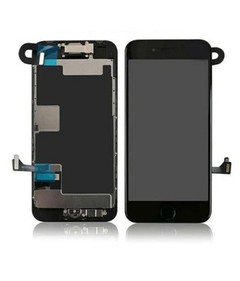
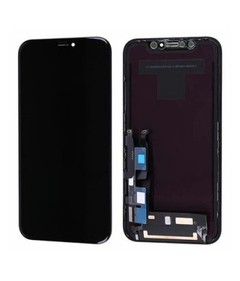
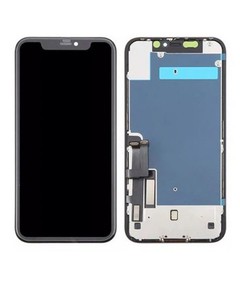
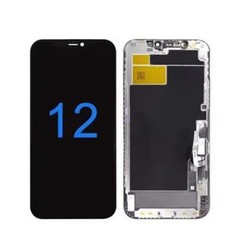



Which iPhone LCD Models Should Repair Shops Stock?
Stock the iPhone LCD models with repeat, verified demand in your own repair business. Hold smaller quantities for occasional-demand models, and order unproven models as needed. Consider a small reserve for an occasional-demand model only when the likely cost of a stockout - a lost job, a delayed repair, a frustrated repeat customer - justifies the extra cash commitment.

Why Model Demand Varies by Repair Shop?
A model that moves quickly through one repair shop's counter can sit untouched in another shop's inventory for months. Repair demand for a given iPhone LCD model is shaped by the age and composition of the installed device base in a specific city or country, local price sensitivity, whether a shop does warranty or insurance-linked work, the shop's own positioning, and local competition for that repair job.
Search popularity for a phone model is not the same signal as repair-screen demand for that model in your market - a model can sell well as a device and still produce different repair economics depending on device age, replacement cost, and how willing local customers are to repair versus replace. Base your iPhone LCD inventory planning for repair businesses on verified local repair demand, not on popularity - local or global popularity is context, not a stocking decision.
Start With Your Own Repair Demand by Model
Before comparing screen specifications or supplier terms, pull together whatever first-party operational records exist: completed screen-replacement jobs, quote requests, phone and WhatsApp inquiries, website inquiries, repair-ticket history, and distributor order history.
Completed repairs alone can understate real demand. A shop that regularly turns customers away because a screen was not in stock never sees that job in the repair log, even though it represents real demand.
But an unconverted request is only useful demand evidence when the reason for the loss is known. A quote can fail to convert because the part was unavailable, because the price was too high, because the customer cancelled, or because the same customer asked twice about the same job. Count each job once per customer, and only add it to your confirmed stockout losses when the loss is specifically traceable to unavailable stock.
If a job first shows up as a stockout loss and is later completed once stock arrives, keep it as a completed repair and remove it from the loss count - don't hold it in both columns. There is no fixed number of months that works for every shop; use a representative recent period long enough to reveal repeat demand and any seasonal or irregular patterns.
Before building your worksheet, define what counts as available stock. Units that are accepted and unreserved are different from units still pending inspection, already reserved against an open job, flagged as faulty and awaiting return, or still in transit - counting all of these as available will make your stock position look healthier than it is.
Use the same reporting period for completed repairs and confirmed stockout losses across every model. Record available stock as of the review date, and record replenishment time in days so the figures stay comparable across models.
Use the field guide below to build one worksheet row per model, screen technology, and supplier SKU. It defines what to record; it does not represent a repair shop's actual results. If a value is unknown, mark it as unconfirmed rather than entering zero.
| Worksheet Field | What to Record | Source or Recording Rule |
|---|---|---|
| Model | The exact iPhone model associated with the repair or product reference | Check the repair ticket and supplier compatibility information; distinguish variants such as mini, Pro, and Pro Max. |
| Screen Technology / SKU | The replacement screen technology and exact supplier product code | Use the product specification and purchase record. Keep different technologies, configurations, and supplier SKUs on separate rows. |
| Completed Repairs | The number of completed screen-replacement jobs within the selected reporting period | Count each completed job once. Exclude cancellations and avoid counting repeat visits for the same job as new demand. |
| Confirmed Stockout Losses | The number of distinct jobs lost specifically because the required screen was unavailable | Use inquiry and quote records with a documented loss reason. Exclude duplicate inquiries and price-related losses; remove a loss from this count if the same job is later completed. |
| Available Stock (Accepted, Unreserved) | Units accepted for use and not allocated to another job as of the review date | Use the dated stock record or physical count. Exclude reserved, faulty, uninspected, and in-transit units. |
| Replenishment Time | Elapsed calendar days from order placement until the units are received and accepted for use | Use matching purchase and receipt records. With several deliveries, record the typical lead time and observed range; label supplier estimates separately from measured results. |
| Model-Level MOQ | The minimum purchase quantity for the exact supplier SKU | Check a current written quotation or supplier confirmation. Record the total-order minimum separately; do not assume mixed orders waive per-SKU minimums. |
| Specification Confirmed? | Confirmed, pending confirmation, or not confirmed, with the supporting record date | Use written compatibility and specification records. Record sample-test status separately; a confirmed specification does not mean a sample has passed. |
| Stocking Decision | Regular stock, limited stock, order when needed, evaluate sample first, or review supplier terms | Apply the decision table later in this guide using verified demand, cost, lead time, MOQ, and product-validation status. If essential evidence is missing, record decision pending. |
Separate "Should We Stock It?" From "How Many Should We Stock?"
These are two different decisions.
Decision A - Should this model have regular inventory at all, or is it better handled as an order-when-needed item?
Decision B - If it should be stocked, how deep should that inventory be?
A model with steady but modest demand might justify a small quantity on the shelf at all times; a model with occasional but high-value demand and a long replenishment lead time might justify a deeper reserve even though it moves less often. Confusing "worth stocking" with "worth stocking heavily" leads either to overcommitted cash or to coverage gaps that show up as lost jobs.
Which Factors Should Determine Model Priority?
| Decision Factor | What to Check | Why It Matters | Buyer Action |
|---|---|---|---|
| Repair demand by model | Completed jobs over a representative period | Shows actual, not assumed, usage | Rank models by verified job volume |
| Confirmed stockout losses | Inquiries lost specifically because the part was unavailable | Reveals demand hidden by past stockouts | Add to demand total, don't discard |
| Current stock turnover | How long available units sit before use | Flags slow-moving inventory already on hand | Reduce reorder depth for slow turners |
| Replenishment lead time | Confirmed order-to-shelf time by product reference | Sets the expected demand to cover before the next delivery; variability on top of that is what safety stock addresses | Use the actual order-to-shelf lead time, and assess demand variability and lead-time variability as separate inputs |
| Model-level MOQ | Minimum order quantity per product reference | May force a larger commitment than demand justifies | Weigh MOQ against realistic sell-through |
| Mixed-order flexibility | Whether the supplier allows combining models in one order | Affects how many models can be trialed at low risk | Use flexible orders to trial secondary models |
| Screen specification | Exact product reference and configuration | Prevents receiving the wrong assembly or grade | Confirm spec before, not after, ordering |
| Quality / acceptance requirement | Documented cosmetic and performance criteria | Avoids disputes over undefined "quality" labels | Request written acceptance criteria |
| Supplier availability | Whether the model is consistently in the supplier's range | Determines whether the model can be relied on long-term | Confirm before building it into standard stock |
| Warranty / after-sales terms | What is covered and for how long | Affects the real cost of holding a defective unit | Get terms in writing before stocking at depth |
| Inventory value / cash tied up | Unit cost multiplied by stock depth | Cash committed to one model is unavailable elsewhere | Cap exposure per model relative to demand |
| Slow-moving risk | Trend in local repair volume for that model | Older models can still be profitable at low depth | Review on a schedule, don't discontinue on a hunch |
Identify Fast-Moving Models From Your Own Data
Use your own repair data first. If you're relying on comparable data from a similar location because you don't have history of your own yet, treat that starting list as provisional until your own numbers confirm or correct it.
Repeat repair demand and confirmed stockout losses are what actually distinguish fast-moving iPhone screen models from occasional ones - not release date or general phone-market popularity. Stable monthly usage, repeated customer requests for the same model, and shortening intervals between reorders are the practical signals to track.
Build a Starter Screen Inventory by Coverage, Not by Guesswork
For a new repair shop or a new location without repair history yet, the goal is to cover a reasonable share of likely screen-repair demand without tying up cash in unproven models. Three groups help organize that first stock list:
- Core models - supported by repeated, verifiable local demand, or by clearly comparable demand from a similar existing location.
- Secondary models - identifiable but lower or less consistent demand, worth holding in smaller quantity.
- Special-order models - better handled as order-as-needed unless a long replenishment time or a specific service commitment justifies holding stock anyway.
Where a specific iPhone model appears anywhere in this guide as an example, treat it as illustrative - the classification always depends on your own demand data, not the model's name or release date.
Screen Specification Matters as Much as the Model Name
Stocking a model name is not the same as stocking a defined, repeatable product. Suppliers frequently offer more than one configuration under the same model, and the difference between configurations can be the difference between usable inventory and a batch that creates installation problems or customer complaints.
Before locking in stock for any model, confirm the exact supplier product reference, the compatible model and variant, the screen type actually supplied, the assembly configuration, the version or revision where relevant, the documented quality specification, cosmetic and performance criteria, and packaging and labeling.
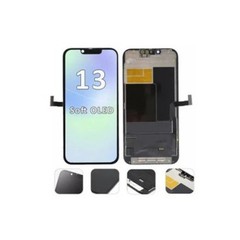
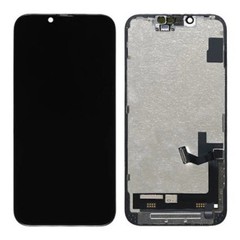
The model name can also hide a technology mismatch. A repair history showing consistent demand for an iPhone 12 Pro replacement LCD screen still needs a second check: the 12 mini's original display is OLED, so an LCD option for that model is an aftermarket alternative rather than an OEM-spec match. Record it as its own product reference - model plus screen technology plus supplier SKU - and confirm your customers' acceptance of that alternative before it earns regular stock depth.

Model-Level MOQ Can Change the Stocking Decision
A total-order minimum is not the same as a minimum quantity per model. Many suppliers apply MOQ at the product-reference level even inside a mixed-model order, and that per-model minimum can change whether a model belongs in regular stock. A model with steady but modest demand may become unattractive to stock if its minimum quantity forces a purchase far beyond realistic sell-through. A model with clearly stronger demand is easier to justify at a larger per-model quantity because the MOQ and the expected sell-through are closer together.
Not every supplier applies MOQ the same way. Confirm directly whether it applies per product reference, per order, or both.
Replenishment Lead Time Changes How Much Inventory a Shop Needs
Plan stock to cover the demand you expect during a normal replenishment cycle - that part is ordinary reorder math, not a buffer. Add safety stock only where demand or lead-time variability creates a meaningful risk of running out before the next order arrives; a model with steady, predictable demand and a reliable supplier needs far less cushion than one with irregular demand or an unpredictable lead time.
Working out how much of that risk actually needs a buffer is the core task in setting safety stock for replacement screens, and it depends on your own demand variability and confirmed order-to-shelf lead times rather than a single formula that applies to every model. A long lead time on a low-demand, high-unit-cost model can just as easily argue for ordering it as needed instead of holding extra units.
Mixed-Model Orders Help Balance Coverage and Inventory Risk
Where a supplier's MOQ and order policy allow it, a mixed-model order lets a buyer spread spending across several product references instead of overcommitting to a single model. Allocate larger quantities to proven models and smaller trial quantities to untested product references - that sizing pattern is the starting point of mixed-model iPhone LCD order planning.
An iPhone 11 replacement LCD screen with no repair or acceptance history in your business is exactly the kind of reference to size small inside that order, regardless of how recently the device itself was released - the deciding factor is missing history, not the model's age.
Before placing the order, confirm:
- Whether MOQ applies by model, and whether there's also a total-order minimum
- Whether the different models can actually be combined toward that minimum
- Packaging conditions and lead time by model
- Whether all models ship together or separately
Mixed-model ordering improves assortment flexibility, but it does not by itself remove dead-stock risk - the underlying demand data still has to support each line.

When Should a Repair Shop Test Samples Before Adding a Model to Regular Stock?
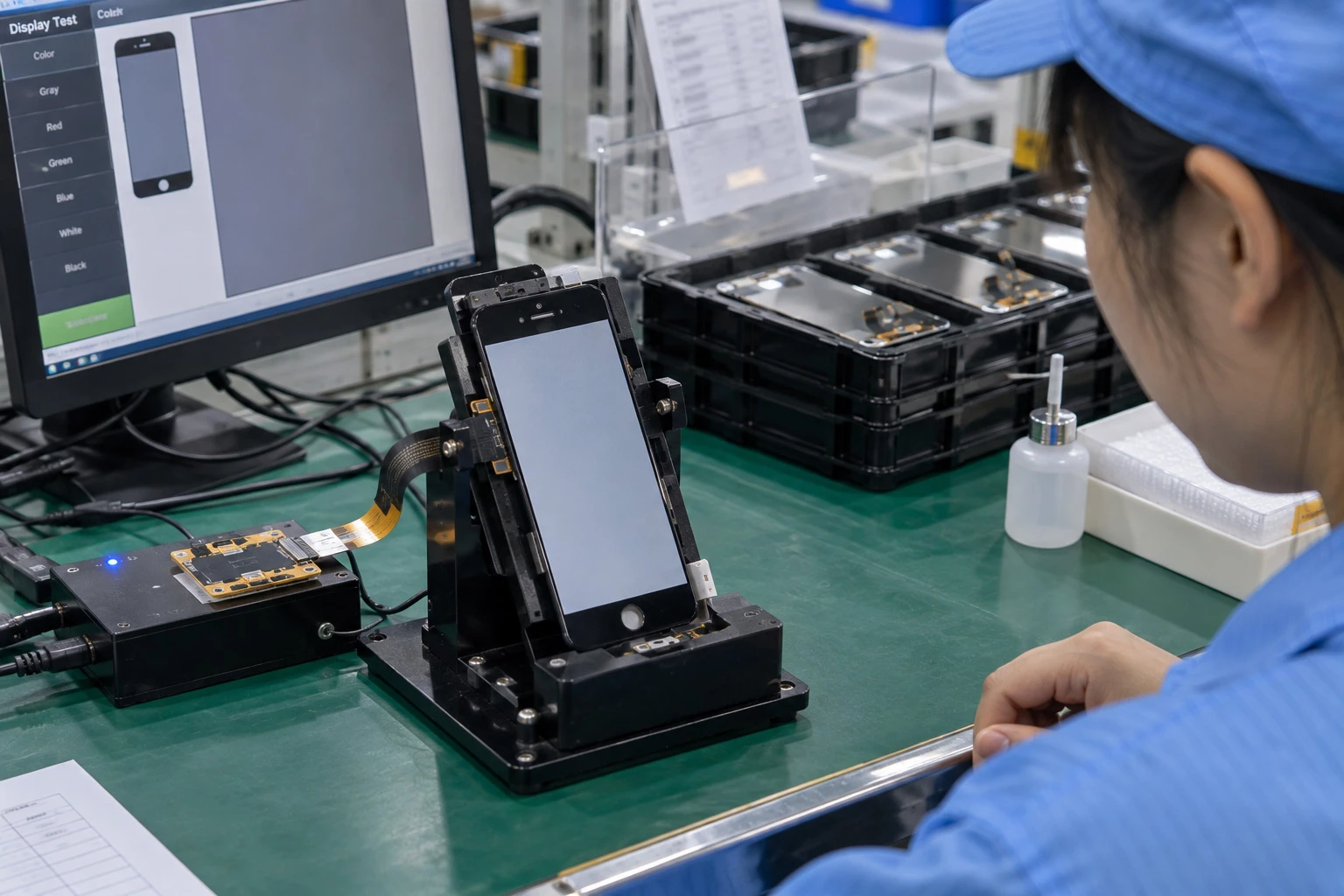
A model can be well supported by repair demand data and still deserve sample validation before a larger stock commitment - particularly with a new supplier, a new product reference, a changed specification or assembly configuration, a history of inconsistency on a previous batch, or before an order noticeably larger than usual.
When you do test a sample, record the result by SKU rather than as a general pass or fail:
- Fit and installation match
- Touch response
- Display uniformity and color
- Cosmetic condition against your acceptance criteria
- Any function specific to that model
- A sample record that only says "tested" gives you nothing to compare against the next batch.
Turn Your Worksheet Into a Stocking Decision
The worksheet above already carries the numbers a stocking decision needs - repair demand, confirmed losses, available stock, lead time, MOQ, and whether the specification is locked. Assign each product reference a stocking decision using the conditions below:
| Observed Condition | Likely Decision | Check Before Ordering |
|---|---|---|
| Repeat demand, specification confirmed, replenishment reliable | Regular stock | Whether quantity matches turnover, not just presence in the range |
| Occasional demand, high unit cost, fast replenishment available | Small quantity or order-as-needed | Whether a stockout would actually cost a completed job |
| Demand exists but the product reference is untested | Evaluate sample first | Fit, touch response, display uniformity, and cosmetic condition |
| MOQ well above realistic sell-through | Review supplier terms | Whether the supplier can lower the per-SKU MOQ; confirm separately whether mixed models count toward the total-order minimum |
Common Inventory Mistakes Repair Shops Should Avoid
- Copying another shop's model list without checking local demand. A list built for a different city or customer base will not match your own repair pattern.
- Treating a new release as an automatic stock priority. A new release alone is not enough evidence to justify stock - check local repair requests and the repair economics for that model first.
- Looking only at completed repairs and ignoring confirmed stockout losses. Unfulfilled, stockout-specific requests are real demand a stock-only view will miss.
- Stocking by model name without locking the screen specification. The wrong configuration under the right model name is still unusable inventory.
- Buying too many units to satisfy a model-level MOQ. A minimum that outpaces realistic sell-through turns a stocking decision into a dead-stock liability.
- Sizing every model's buffer the same way. A longer replenishment time raises the expected demand to cover before the next delivery, and safety stock on top of that should reflect each model's own demand and lead-time variability - not a single depth applied across the board.
- Carrying every model "just in case." Broad coverage without demand evidence spreads cash across models that may never turn over.
- Letting old inventory go unreviewed. Stock decisions made a year ago may no longer match current repair patterns.
- Increasing stock after one unusual demand spike. A single unusual period is not the same as a repeatable pattern.
- Comparing supplier availability without confirming the exact product reference. "Available" only means something once the specification is confirmed to match.
Frequently Asked Questions
Which iPhone screen models should a new repair shop stock first?
There is no fixed starting list. Begin with models supported by the local device base and by comparable demand at similar locations, and treat everything else as order-as-needed until real repair data accumulates.
How can a repair shop identify fast-moving screen models?
Track completed repairs, reorder frequency, and stockout losses that are confirmed and counted once per customer per job - not every unconverted quote, which can include price objections and duplicate inquiries unrelated to stock availability.
Should repair shops keep every iPhone screen model in stock?
No. Carrying every model regardless of demand ties up cash in models that may never turn over. Models without supporting demand data are usually better handled as order-on-demand items.
How does model-level MOQ affect screen inventory?
A minimum set per product reference can make a low-demand model unattractive to stock if it forces a purchase beyond realistic sell-through, while it's easier to justify for models with stronger, confirmed demand.
Should a repair shop test a screen sample before stocking a new product reference?
Yes, particularly with a new supplier, a new or changed specification, or a history of inconsistency - not necessarily on every routine reorder of an already-proven reference.
How often should screen inventory be reviewed?
Start with a monthly review. Review sooner after repeated stockouts, a sudden demand shift, or a change in a supplier's lead time.
What Information Should a Repair Shop Send for a Model-Specific Wholesale Recommendation or Quote?
This guide is written for wholesale, distribution, and repair-business purchasing. We do not provide local consumer repair or single-screen installation services.
"Send me your price list" produces a far less useful response than a model-specific request. A useful request covers:
- Country or market and business type
- Models currently repaired, with confirmed demand by model where available
- Models currently stocked and quantities required by model
- Target product specification and quality/packaging requirements
- Preferred replenishment timing and destination
- Whether samples are needed first
A supplier cannot determine your ideal inventory mix without this demand-side information - that judgment sits with the buyer, informed by the shop's own repair data covered above. Once your model list and stocking decisions are worked out using the worksheet above, request a model-specific iPhone LCD wholesale quotation with your target models, quantities, destination, and required specifications.