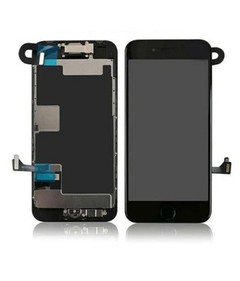
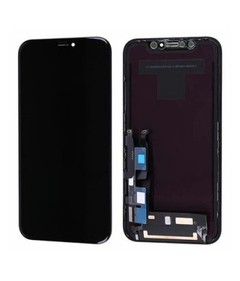

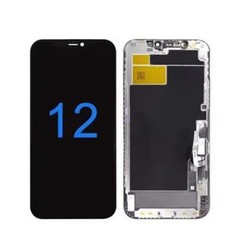
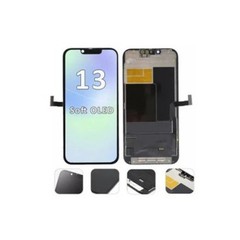


iPhone LCD Incoming Inspection Checklist
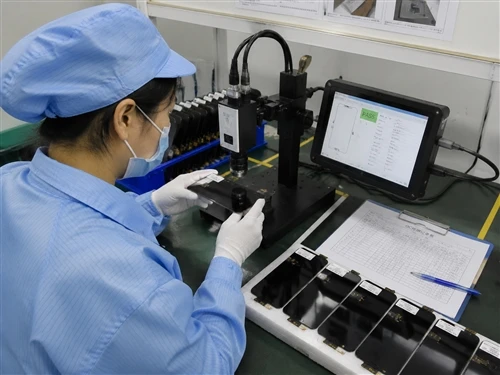
For wholesale buyers, an iPhone LCD incoming inspection checklist verifies that a shipment matches the agreed model, functional and physical requirements before it enters inventory - covering packaging, display performance, touch response, brightness, backlight behavior and assembly condition. When a pallet of screens arrives, incoming inspection should happen before the units are moved into general stock. This checklist is built for distributors, importers and repair businesses buying in bulk, not for someone replacing a single screen at home. Used consistently, it turns "the screens arrived" into a documented decision: accept, quarantine, or report back to the supplier.
What Is an iPhone LCD Incoming Inspection?
An incoming inspection is a controlled acceptance check performed on a shipment after it arrives but before the units are moved into general stock. It is not a single pass/fail test on one screen. It's a structured review of packaging, product identity, display and touch performance, and physical condition across a representative sample of the batch, with results recorded against the purchase order and product specification.
The goal isn't to catch every conceivable defect - no inspection process does that. The goal is to catch the defects that matter commercially: wrong models, damaged units, non-functional displays, and quality issues significant enough to affect resale or installation. Units that pass move into inventory. Units that fail, or units the team is unsure about, get isolated for further review.
Why Incoming Inspection Matters for Wholesale Buyers?
Skipping incoming inspection doesn't remove the risk of defects - it just moves the discovery point downstream, usually to a repair technician or an end customer. By then, the cost is higher: rework labor, a customer complaint, a warranty claim, and a screen that has to travel back through the return chain instead of being caught at the warehouse door.
A defective batch that's caught at receiving costs a few minutes of testing time. The same batch discovered after installation costs labor, shipping, customer trust, and often a discounted resolution just to keep the account. That's the practical argument for incoming inspection: it's cheaper to catch problems while the box is still open in your own warehouse than after it has already reached a technician's bench.
What to Prepare Before Inspecting an LCD Shipment?
A consistent inspection depends on consistent conditions. Before opening the shipment, get the basics in place.
- Inspection area. Use a stable, well-lit surface away from dust, static-prone materials, and heavy foot traffic. Screen handling should follow basic ESD precautions.
- Test equipment. At minimum, a functioning iPhone test fixture or donor unit compatible with the models being inspected, so display and touch can actually be powered on and checked rather than assessed visually alone.
- Order and product information. Have the purchase order, agreed specifications, and any approved sample results on hand so inspectors are comparing the shipment against what was actually agreed - not against memory or assumption.
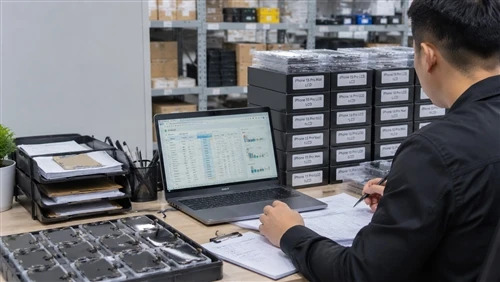
- Inspection records. A template ready to fill in as you go, not reconstructed from memory afterward. See the record structure later in this article.

The iPhone LCD Incoming Inspection Checklist
The table below is the checklist in a form a warehouse or QC team can print and use directly at receiving. Each row is explained in detail further down.
| Inspection Area | What to Check | Pass Condition | What to Record |
|---|---|---|---|
| Shipment & Model | Model, quantity, carton labels vs. purchase order | Matches PO exactly | Any model/quantity discrepancy |
| Packaging & Physical Condition | Crushed packaging, cracked glass, frame, scratches, dents | No unacceptable damage | Defect type, photo evidence |
| Display | Activation, lines, color, flicker, uniformity | Meets agreed specification | Defect type and location |
| Touch | Full-panel response, edges, multi-touch, ghost touch | Consistent, accurate response | Failed zone or symptom |
| Brightness & Color | Unit-to-unit consistency, tint | Within agreed specification/sample | Comparison result |
| Backlight | Leakage, uneven illumination, dark areas | Matches approved sample | Photo evidence |
| Assembly & Connectors | Seating, connector condition, adhesive/rework signs | No damage or prior rework | Defect note |
| Batch Consistency | Compare sampled units against each other | No unexplained variation | Batch result summary |
Acceptance thresholds for each row should follow your own product specification, purchase agreement, and internal QC policy - this table is a structure to apply your criteria against, not a universal pass/fail standard.
1. Shipment and Model Verification
What should you check when an iPhone LCD shipment first arrives?
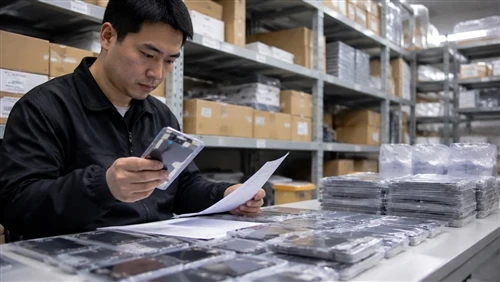
Confirm before anything else that what arrived matches what was ordered - model, quantity, and packaging labeling against the purchase order - since a model mix-up caught here takes minutes to resolve, while one caught after installation does not.
Check:
- Model and variant against the purchase order
- Total quantity received
- Packaging labels and carton markings
- Product specifications stated on the shipment documents
- Any model mix within cartons
- Visible shipping or carton damage
2. Packaging and Physical Condition
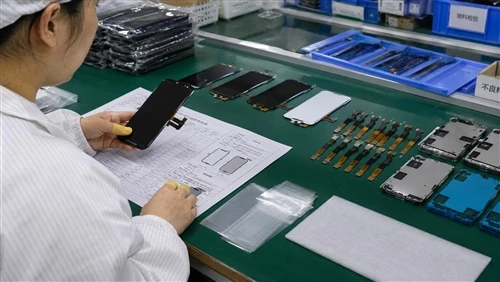
Open a representative sample of cartons and inspect packaging before touching the screens themselves - crushed corners, moisture marks, or loose internal packaging often predict what you'll find inside.
Check:
- Damaged or crushed outer/inner packaging
- Cracked glass visible through packaging
- Frame condition (bent, warped, misaligned)
- Scratches on the visible surface
- Dents or impact marks
- Contamination (dust, residue, fingerprints under the protective film)
- Loose components inside the box
- Any handling damage distinct from manufacturing condition
3. Display Test
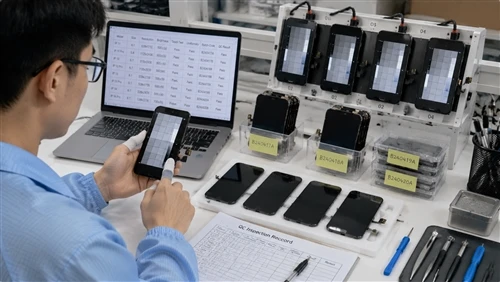
Power on each sampled unit using a test fixture or donor device and observe the screen under normal indoor lighting, since some defects are only visible once the panel is actually driven.
Check:
- Display activates correctly
- Visible lines (vertical, horizontal, or diagonal)
- Dead or abnormal pixels where applicable
- Abnormal color cast
- Flickering during normal use
- Image stability under movement or pressure
- Overall display uniformity across the panel
On a shipment of iPhone 12–13 LCD screens, display activation and color behavior are worth checking unit by unit rather than assumed to be uniform across the batch, since this step is where model or generation mismatches are also most likely to surface.

4. Touch Test
How should touch response be checked during incoming inspection?
Run a full-screen touch test - tracing corners, edges and center in one continuous motion - because touch defects often cluster at the edges or in specific zones rather than showing evenly across the panel.
Check:
- General touch response across the panel
- Touch accuracy versus the actual point of contact
- Edge response near the frame
- Multi-touch behavior where relevant
- Abnormal or intermittent response
- Ghost-touch symptoms (registering input with no contact)
5. Brightness and Color Consistency
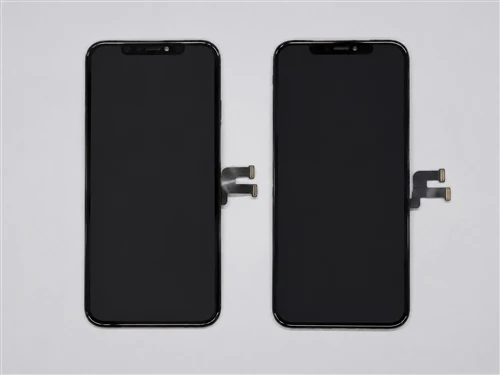
Compare multiple units side by side rather than judging brightness on a single screen alone - color and brightness differences are far easier to spot in direct comparison.
Check:
- Brightness consistency across sampled units
- Obvious color differences between units of the same model
- Uneven illumination across a single panel
- Abnormal tint (yellow, blue, or greenish cast)
- Consistency against the approved sample, if one exists
The acceptable brightness and color range should follow the agreed product specification rather than a generic industry figure, since tolerances vary by grade and by supplier agreement. For iPhone 14–15 LCD screens, buyers should confirm the approved brightness and tint reference before receiving, so that sampled units can be compared against the same baseline.
6. Backlight Inspection
Test backlight behavior in a darkened or dimly lit area, where leakage and unevenness are far more visible than under normal warehouse lighting.
Check:
- Visible light leakage around the edges
- Uneven illumination across the panel
- Abnormal bright spots
- Dark areas or shadowing
- Corner or edge irregularities
Backlight construction differs between panel types and grades, so treat this as a comparative check against the approved sample rather than an absolute standard.
7. Assembly and Connector Check
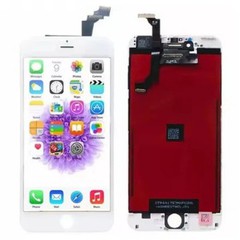
Where the product includes an assembled frame or flex connector, check that components are seated correctly, connectors are undamaged, and no adhesive residue or misalignment suggests prior rework. Avoid assuming construction details that weren't part of the agreed specification - inspect what was actually supplied.
8. Recording Defects Consistently
An inspection that isn't recorded is hard to act on later. For every defect found, log the model, batch reference, defect type, defect location, and photo or video evidence, along with the inspection date and inspector - this is what turns a one-off finding into evidence you can bring to a supplier.

Why Batch Consistency Matters More Than One Good Unit?
Testing a single unit and calling the whole shipment acceptable is one of the most common shortcuts in incoming inspection - and one of the riskiest. A batch can include units from different production runs, different handling conditions, or even different sub-suppliers, so one good screen doesn't guarantee the next fifty are the same.
Comparing multiple units side by side, rather than relying on a single sample, is what actually surfaces batch-level inconsistency. If your sampling plan or acceptance threshold isn't already defined, it should be set according to your product requirements, order terms, and internal QC policy - not assumed from a general industry number.
Manufacturing Defect or Handling Damage?
Not every defect found at receiving originated at the factory. Distinguishing manufacturing defects from installation or handling damage matters because it determines whether the issue belongs to the supplier, the freight carrier, or your own warehouse process.
Some practical signals:
- Damage concentrated at packaging weak points (corners, edges) often points to shipping or handling rather than manufacturing.
- Defects that appear consistently across multiple unopened units - such as the same line position or the same backlight irregularity - more often indicate a manufacturing or batch issue.
- Isolated damage on an otherwise intact unit, especially with visible impact marks, is more consistent with handling.
Treat these as indicators, not proof. Visual evidence alone doesn't always establish responsibility with certainty, and some cases will require supplier discussion before a cause is confirmed.
What to Do When You Find Defects?
Once a defect is confirmed or strongly suspected, isolate the affected units immediately rather than leaving them mixed with accepted stock. Then:
- Document the defect with photos or video and full batch/order reference
- Preserve the original packaging as supporting evidence
- Compare the finding against the agreed specification, not general assumptions
- Notify the supplier with the inspection record attached
- Request supplier review before deciding on replacement, credit, or rework
- Keep confirmed defective stock physically separated from inventory that has passed inspection
Comparing Incoming Results With Your Sample Approval
A sample that performed well doesn't automatically guarantee that every later bulk shipment will match it. For that reason, sample results and incoming inspection records should be reviewed together, not filed separately. If your team ran a proper sample testing process before placing the bulk order, that record is the baseline every incoming shipment should be measured against, not a general industry standard.
Use the approved sample as the reference point for bulk inspection, then carry those results into batch and supplier reviews - the same logic that separates sample quality from bulk-order quality in the first place. Buyers who compare bulk results only against the purchase order - and never against their own approved sample - lose the ability to tell whether quality is drifting over time. Inspection findings can also connect to a separate question worth asking early: is a given defect a sign of installation damage rather than a factory defect, or something the supplier introduced at the production stage?
Turning Inspection Records Into Supplier Evaluation
A single inspection tells you about one shipment. A history of inspection records tells you about a supplier. The value shows up in the pattern, not the individual entry: a particular model that repeatedly shows backlight issues, or a supplier whose batch consistency has quietly declined over several orders - the kind of trend a one-off check would never surface on its own.
That history is also what supports a broader iPhone LCD quality control process for wholesale buyers, connecting incoming inspection to supplier scorecards, reorder decisions, and warranty discussions rather than treating each shipment as an isolated event.
Frequently Asked Questions
What should be checked when receiving iPhone LCD screens in bulk?
At minimum: model and quantity against the purchase order, packaging and physical condition, display and touch function, brightness and color consistency, and backlight behavior - with results recorded per batch.
How many LCD screens should a wholesaler inspect from a shipment?
This depends on your order size, risk tolerance, and internal QC policy or purchase agreement. There's no universal percentage that applies to every buyer or every supplier relationship; the sampling rate should be defined and applied consistently rather than decided case by case.
What should be included in an LCD incoming inspection record?
Supplier, purchase order, product model, batch/lot reference, quantities received and inspected, inspection date, inspector, results for display/touch/brightness/backlight, physical condition notes, defect details with photo evidence, and the final disposition.
How can buyers distinguish manufacturing defects from installation damage?
Look at where the damage is concentrated, whether it appears consistently across multiple unopened units, and whether it matches typical shipping-damage patterns. Treat these as indicators rather than definitive proof, and involve the supplier when the cause is unclear.
Should incoming inspection results be compared with sample test results?
Yes. Comparing bulk shipment results against your originally approved sample is one of the few ways to detect quality drift between what was approved and what is actually being delivered over time.
What should buyers do when defective LCD screens are found?
Isolate the affected units, document the defect with evidence, preserve packaging, and notify the supplier with the inspection record attached before agreeing on replacement, credit, or rework.
How can batch consistency be monitored over repeated orders?
By keeping structured inspection records per batch and reviewing them together over time, rather than treating each shipment as a standalone check disconnected from prior orders.
What information should be provided to a supplier when reporting LCD defects?
Model, batch/lot reference, quantity affected, defect type and location, photo or video evidence, inspection date, and the purchase order or shipment reference the units belong to.
Conclusion
Incoming inspection is procurement control, not paperwork. A standardized checklist, consistent test conditions, and honest records are what let a buyer catch problems at the warehouse door instead of on a technician's bench. Sample approval sets the baseline - it doesn't replace bulk inspection, and it never will. Every defect deserves the same documentation, and every batch's results should feed back into how you evaluate that supplier going forward.
If your current shipments aren't being tested against an approved baseline yet, that's worth fixing before the next order. You can request representative LCD samples and our sample-testing checklist to establish that baseline before your next bulk order is placed.