


How Repair Businesses Can Reduce iPhone LCD Return Rates?
Repair businesses can reduce iPhone LCD return rates by separating supplier defects from installation damage, testing screens before installation, tracking failures by model and batch, and requiring consistent warranty documentation from suppliers. A screen that tests perfectly on a bench can still come back defective on a service ticket - not because the panel failed, but because of how it was packed, handled, tested, or installed. Treating every return as a "bad screen" hides that difference and makes the real problem harder to fix.
This guide walks through the process behind that answer: how to classify a return correctly, what to inspect before installation, how to calculate a return rate that actually means something, and how to work with a supplier once a real batch problem shows up.
Why iPhone LCD Return Rates Matter to Repair Businesses?
A returned screen is rarely just the cost of the part. It also carries replacement labor, a second round of technician time, outbound and inbound shipping, and the administrative work of processing a warranty claim. Multiply that across a busy service counter and returns start showing up in places that have nothing to do with the screen itself: a technician's daily job count, a customer's willingness to return, and the predictability of parts inventory.
Returns also create friction with suppliers. A distributor or wholesaler that cannot document why a screen was returned puts itself in a weak position when it asks a supplier to honor a warranty claim, and a supplier that receives vague or undocumented claims has no way to distinguish a real batch problem from a handling error on the buyer's side. Reducing avoidable returns protects margin, technician time, and the working relationship between buyer and supplier at the same time.
The Core Framework: Classify, Verify, Track, Correct
Return rate is a process-control metric, not just a screen-quality metric. The question worth asking is rarely "is this screen good or bad" - it's "why did this specific unit come back." A useful return-rate program runs on four repeated steps:
- Classify the failure into one of the five cause categories below.
- Verify the cause through inspection or testing rather than assumption.
- Track the pattern by model, batch, and supplier.
- Correct the process, training, or supplier relationship based on what the pattern shows.
Every section that follows maps to one of these four steps:
| Core step | Where it's covered |
|---|---|
| Classify | The five return causes below |
| Verify | Pre-installation inspection and the test checklist |
| Track | Model/batch/supplier tracking and the return-rate formula |
| Correct | Supplier claims, warranty terms, training, and supplier review |
What Actually Causes iPhone LCD Returns?
Before any return is counted against a supplier, it helps to know which category it actually belongs to. Treating every return as a manufacturing defect skips the classify step, and reviewing the Common iPhone LCD Defects and Their Root Causes guide is a useful starting point for the categories below.
Manufacturing Defects
Problems that exist before the screen ever reaches a technician's bench - a flaw in the panel, backlight, or touch layer introduced during production. A defect in this category may be identified through inspection or testing performed before installation, which is why incoming inspection is an important first line of defense.
Installation Damage
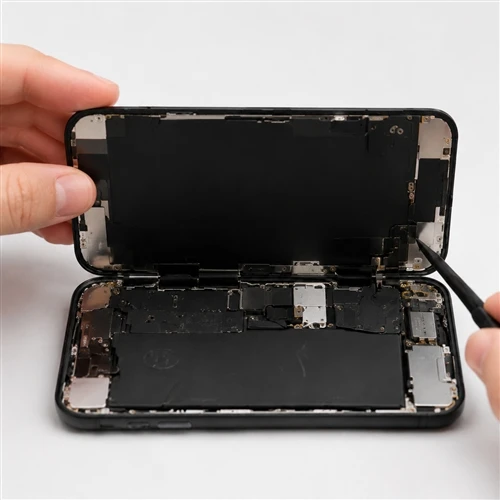
Damage introduced during the repair itself - a stressed flex cable, a connector seated at an angle, adhesive pressure applied unevenly, or a frame that was bent during disassembly. This category is discussed in more detail in Installation Damage vs Manufacturing Defect.
Shipping and Handling Damage
Damage that occurs in transit or during warehouse handling: crushed packaging, impact damage, or moisture exposure. This is usually visible on unboxing if packaging is inspected before the screen is unpacked and tested.
Testing or Compatibility Problems
Cases where the screen was never actually defective but was tested incorrectly, paired with the wrong model, or evaluated without a proper power-on and function check.
Customer-Related or Post-Installation Issues
Damage that occurs after the device leaves the shop - a drop, liquid exposure, or a second repair by another party. These returns require different handling than a pre-installation defect claim.
Classifying a return correctly is what makes the rest of this process - inspection, tracking, and supplier communication - actually useful.
The Most Common iPhone LCD Problems Repair Businesses Should Track
The same visible symptom can originate in more than one place, so classification depends on verification, not the symptom alone. Symptoms worth logging on every returned unit:
- Ghost touch or intermittent touch response - check for connector stress from installation before logging it as a panel issue.
- Display lines - the location and pattern often distinguish a panel-level defect from installation pressure.
- Dead pixels where applicable - confirm the acceptable threshold against the supplier's own product grade rather than a general assumption.
- Brightness inconsistencies or backlight problems - a reseat test can rule out uneven installation pressure before this is logged as a backlight defect.
- Flickering - try a reseat before classifying it as a panel defect.
- Image abnormalities such as discoloration or shadowing - check for consistency across the full panel.
- Touch/display separation - visible on close inspection; often an adhesive or lamination issue rather than an electronic fault.
- Connector or flex-related issues where technically appropriate - frequently tied to handling rather than the panel itself.
Log the symptom, the suspected cause, and the verification step taken. That's what turns a return log into a diagnostic record instead of a complaint list.
Why Installation Damage Is Often Confused With Manufacturing Defects?
A screen that fails immediately after installation is easy to blame on the supplier, but installation is one of the most common points where damage is introduced without being noticed at the time. A few checkpoints separate a pre-installation defect from installation damage:
- Frame condition before and after disassembly - a bent or stressed frame points to handling during the repair rather than a factory issue.
- Connector handling - connectors that were forced, misaligned, or reseated multiple times are more likely to produce an installation-related failure.
- Flex cable handling - creased or overstretched flex cables rarely originate at the factory.
- Adhesive pressure - uneven pressure applied during reassembly can create display or touch abnormalities that resemble a panel defect.
- Screw placement - an incorrectly placed screw can put pressure on the panel or board in a way that produces a delayed failure.
- Bending or twisting of the panel during installation, which can cause damage that only becomes visible once the device is powered on.
- Transfer of components such as brackets or shields between the old and new screen - skipped or mishandled, this step can also produce a symptom that looks like a screen defect.
- Testing procedure used both before and after installation. A missing pre-installation test removes the only evidence that would have shown the screen worked before the repair began.
Documentation at each of these checkpoints, not more detailed disassembly steps, is what lets a shop tell the difference after the fact.
Build an Incoming Inspection Process Before Installation
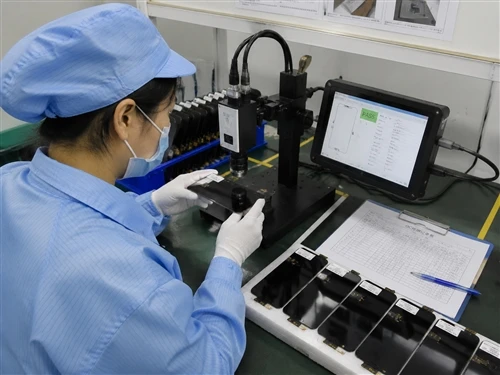
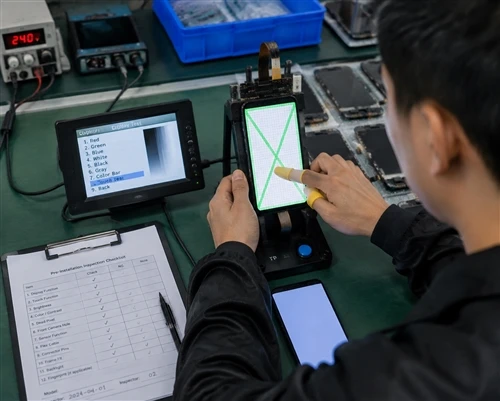
Treat incoming inspection as a pre-installation quality gate: a screen should not enter a repair job until its condition and test result have been recorded. For a repair business receiving bulk LCD inventory, that gate runs through eight checks:
- Packaging inspection - check for crushed, torn, or water-damaged packaging before the unit is unpacked.
- Visual inspection - check the panel surface, edges, and frame for visible defects or shipping damage.
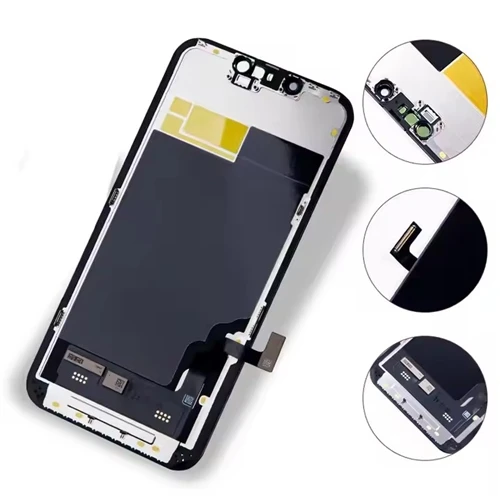
- Connector/flex inspection - confirm the connector and flex cable are undamaged and properly seated before power-on.
- Display test - power on the unit and check for lines, discoloration, or backlight issues.
- Touch test - confirm consistent touch response across the full panel.
- Brightness and image check where applicable, compared against a known-good reference unit.
- Recording the result - log pass/fail status per unit rather than relying on memory.
- Batch/model identification - record the model, batch, and supplier reference so any later failure can be traced back to its source.
This is what turns a receiving check into evidence, not just a formality - evidence a shop needs if a warranty claim becomes necessary later.

Use a Pre-Installation LCD Test Checklist
| Check Item | What to Look For | Pass/Fail | Record |
|---|---|---|---|
| Packaging condition | Crushing, tearing, moisture exposure | Pass | Packaging intact. No crushed corners, no water marks. |
| Frame and edge condition | Bends, cracks, gaps | Pass | Frame straight. No visible cracks, gaps, or deformation. |
| Connector and flex | Damage, bent pins, misalignment | Pass | Flex cable clean. Connector pins aligned, no scratches or bending. |
| Power-on display test | Lines, discoloration, dead areas | Pass | Display powered on normally. No vertical lines, color spots, or dead pixels found. |
| Touch response | Dead zones, ghost touch, drag lag | Pass | Full screen touch test completed. No dead zones, ghost touch, or response delay. |
| Brightness/backlight | Uneven brightness, flicker | Pass | Brightness uniform. No flickering or visible backlight leakage compared with reference unit. |
| Model/batch match | Correct model, batch recorded | Pass | Model confirmed: iPhone replacement LCD. Batch ID recorded: LCD-20260815-A01. |
Every failed check should be logged against the unit or batch, with a photo when appropriate.

Track Return Rates by Model, Batch, and Supplier
An overall return rate can hide the information that actually matters. A shop running a 4% average return rate might have one supplier or one batch responsible for most of it, while the rest of the inventory performs well. Tracking at a finer level makes that visible, and it also tells a purchasing manager what to do next:
If most returns are concentrated in one batch while other batches from the same supplier remain stable, investigate the batch before replacing the supplier. If the same failure pattern shows up across several batches from the same supplier, how suppliers should respond to batch quality problems becomes the more relevant question, and the supplier relationship deserves a broader review rather than a replacement of the current batch alone.
Fields worth recording for every unit:
- iPhone model
- Product type or grade where applicable
- Supplier
- Purchase order
- Batch
- Quantity received
- Quantity installed
- Quantity returned
- Suspected failure type
- Confirmed failure type
- Whether the issue was installation-related
- Warranty outcome
A tracking system built around these fields, such as the approach in How Repair Shops Should Track LCD Return Rates, turns scattered service tickets into a pattern a purchasing manager can act on.

Table: LCD Return-Rate Tracking
| Model | Batch | Units Received | Units Installed | Returns | Confirmed Defects | Installation Issues | Notes |
|---|---|---|---|---|---|---|---|
| iPhone 11 LCD | IP11-202608-A01 | 500pcs | 460pcs | 8 | 3 | 5 | 3 LCDs had display issues confirmed before installation. 5 returns caused by installation handling. |
| iPhone 12 Pro LCD | IP12p-202608-A02 | 800pcs | 735pcs | 10 | 4 | 6 |
|
| iPhone 13 Pro Max LCD | IP13pm-202608-A03 | 600pcs | 520pcs | 5 | 2 | 3 | Batch performance stable. Two units showed backlight abnormality during QC review. |
How to Calculate and Track iPhone LCD Return Rates?
Return Rate = Returned Units ÷ Units Sold or Installed × 100
The denominator matters. A shop that measures returns against units received will get a different number than one measuring against units installed, and comparing the two without adjusting for the difference produces a misleading trend line. For internal reporting, define the denominator in advance and use the same definition across suppliers, models, and reporting periods - a received-unit return rate and an installed-unit return rate are not the same metric and should never be compared as if they were.
Keep these measurements separate rather than treating them as interchangeable:
- Return rate - how many units came back, regardless of cause.
- Confirmed defect rate - how many of those returns were verified as a genuine manufacturing defect.
- Warranty claim rate - how many returns were actually submitted to a supplier for warranty review.
- Installation failure rate - how many returns were traced back to the repair process rather than the part.
A rising return rate does not automatically mean supplier quality is declining. The more useful signal is whether the confirmed-defect rate is rising after installation-related and handling-related returns have been removed from the count. Watch that number, not the raw return count, when deciding whether a supplier conversation is warranted.
How to Separate Supplier Quality Problems From Installation Problems?
Returned screen → Was the issue documented before installation? → Was the screen tested pre-installation? → Is there visible physical damage? → Is the issue reproducible? → Can the supplier review evidence (photos, video, test log)?
| Question | If Yes | If No |
|---|---|---|
| Documented before installation? | Stronger case for a supplier-side defect | Treat cautiously - may be installation-related |
| Tested pre-installation and passed? | Suggests failure occurred after testing | Suggests undetected pre-existing issue |
| Visible physical damage present? | Investigate handling and shipping | Points toward an internal component issue |
| Issue reproducible on request? | Useful for supplier review | Harder to substantiate a claim |
| Evidence available for supplier review? | Faster, more credible claim | Claim likely to be delayed or disputed |
Working through this sequence before contacting a supplier speeds up the eventual defect-reporting process outlined in How to Submit an LCD Defect Report and reduces the number of claims that get rejected for lack of evidence.
How Repair Businesses Can Reduce Repeat LCD Returns?
Isolated fixes rarely hold. A repeatable system tends to include:
- A standardized receiving inspection applied to every incoming batch, not just spot checks.
- A consistent technician testing procedure before and after installation.
- Staff training on how to document a suspected defect versus an installation issue.
- Defect documentation that captures photos, batch ID, and symptom description at the time of the return.
- Batch tracking that links every return back to its purchase order.
- Structured supplier feedback rather than one-off complaints.
- Supplier scorecards that compare return rates across suppliers and batches over time.
- Recurring-defect reviews on a fixed schedule, not only when a problem becomes obvious.
- Inventory segregation - pulling a batch from active use when a pattern is suspected, before it is confirmed.
- Corrective-action follow-up to confirm a supplier's response actually resolved the pattern.
How to Work With Suppliers When a Batch Has Quality Problems?
Before contacting a supplier about how to handle defective screens in a bulk order, have the following ready:
- Model
- Quantity affected
- Purchase order
- Batch information
- Photos or video where useful
- Test results
- Defect description
- Installation status (installed or pre-installation)
- Quantity tested
- Quantity affected
Strong documentation does not guarantee a supplier will accept every claim, but it makes the review evidence-based on both sides. This is where a clear understanding of what a B2B LCD warranty should cover matters - a buyer who knows what a warranty is supposed to cover can prepare the right evidence the first time instead of going back and forth.

What Should a B2B iPhone LCD Warranty Cover?
Warranty terms vary by supplier, so treat this as a list of questions to clarify rather than a claim about any specific company's policy:
- What defects are covered, and what is explicitly excluded?
- What testing is required before a claim will be reviewed?
- What evidence is needed to support a claim (photos, video, test logs)?
- What is the claim period after receipt or after installation?
- Does the resolution involve replacement, credit, or repair?
- Who is responsible for return shipping costs?
- How are batch-level quality issues handled differently from single-unit defects?
- What happens when the same defect recurs across multiple units?
A buyer evaluating a new supplier should ask these questions directly rather than assume standard terms apply.
How Supplier Quality Control Can Affect Your Return Rate?
The return rate a repair business experiences is partly a reflection of what happens upstream, before the screen ever ships. Instead of asking only whether a supplier has quality control, ask what is actually recorded at receiving, production testing, final inspection, and batch release. A documented process is something a buyer can audit; a verbal assurance is not.
Points worth asking a supplier to show, not just describe:
- Incoming material inspection records at the supplier's facility
- Production-stage testing logs
- Finished-product inspection results before packaging
- Model identification and labeling accuracy
- Batch record-keeping
- Packaging standards used for shipping
- Pre-shipment quality checks
- The supplier's own defect-reporting process
- How the supplier handles warranty claims once submitted
A supplier that can produce records for these points is generally easier to build a low-return relationship with than one that can only describe its process in general terms.
A Practical iPhone LCD Return-Rate Reduction Workflow
Receive → Inspect → Test → Record → Install → Confirm → Track → Classify → Report → Review → Correct
- Receive: log the batch and check packaging condition on arrival.
- Inspect: run the visual and connector checks before power-on.
- Test: perform the display, touch, and brightness checks.
- Record: log pass/fail results per unit, by batch.
- Install: follow a consistent installation and handling procedure.
- Confirm: verify function immediately after installation, before the device leaves the shop.
- Track: log any return against its model, batch, and supplier.
- Classify: determine which of the five cause categories the return belongs to.
- Report: submit warranty claims with full documentation when a supplier-side defect is confirmed.
- Review: check return data on a fixed schedule to spot patterns.
- Correct: adjust supplier relationships, training, or receiving procedures based on what the data shows.
Adapt the sequence to your own operation - the value is in having each stage represented somewhere in the process, not in matching this exact wording.
When Should a Repair Business Change LCD Suppliers?
A single bad batch is rarely a reason to switch suppliers on its own; every production process has some variance. A pattern across several of the following signals is a more reliable basis for a supplier change:
- Recurring, unexplained defects across multiple batches
- Inconsistent quality from one batch to the next with no clear explanation
- Poor or missing documentation when problems are raised
- Unclear or shifting warranty procedures
- Repeated claims that go unresolved
- Inconsistent product specifications between what was ordered and what arrived
- Unreliable or slow communication when a problem is reported
- An inability to identify which batch a shipment came from
How Lower Return Rates Improve Repair Business Profitability?
Reducing avoidable returns connects to several parts of a repair business at once: technician time spent on repeat repairs goes down, customer satisfaction improves when a repair holds the first time, inventory planning becomes more predictable when return volume is lower and more consistent, and the administrative workload tied to warranty claims shrinks. The connection between fewer avoidable returns and better margin protection holds regardless of a shop's specific numbers.
When evaluating replacement iPhone LCD screens for a high-volume operation, compare not just unit price but also sample performance, batch consistency, and the clarity of a supplier's warranty terms - the same factors this guide has walked through.
Frequently Asked Questions
What is a good way to track iPhone LCD return rates?
Track returns by model, batch, and supplier rather than as a single combined number. Recording units received, installed, and returned alongside a confirmed cause for each return makes it possible to see where a problem is actually concentrated.
How can repair shops tell whether an LCD defect is caused by installation?
Check the frame, connector, and flex cable condition, and compare against pre-installation test records where available. A screen that tested correctly before installation and failed shortly after is more likely to involve an installation factor, though further diagnosis is often needed to confirm this.
Should every returned LCD be treated as a supplier defect?
No. Returns can also result from shipping damage, installation handling, testing errors, or issues that occur after the device leaves the shop. Classifying the cause before assigning responsibility avoids unnecessary supplier disputes.
What information should a supplier receive for an LCD warranty claim?
Model, quantity affected, purchase order, batch information, test results, a defect description, installation status, and photos or video where available. Complete documentation generally leads to a faster review.
How should repair businesses track LCD defects by batch?
By recording a batch identifier at receiving and carrying that identifier through to any later return, so a pattern across multiple units in the same batch becomes visible rather than looking like isolated incidents.
What should a B2B iPhone LCD warranty cover?
At minimum, buyers should clarify what defects are covered, what evidence is required, the claim period, how resolution works (replacement, credit, or repair), and who is responsible for shipping costs. These terms vary by supplier and should be confirmed directly.
How can incoming inspection reduce LCD returns?
By catching shipping damage, visible defects, and testing failures before a screen is installed, incoming inspection prevents a problem from being discovered only after labor and a customer appointment have already been spent on it.
When should a repair business consider changing LCD suppliers?
When warning signs repeat across multiple batches - inconsistent quality, poor documentation, unclear warranty handling, or unresolved claims - rather than after a single isolated incident.
Conclusion
A lower iPhone LCD return rate is not the result of finding one "better" screen. It's the result of a process that classifies returns correctly, catches problems before installation, tracks failures at the batch level, and gives a supplier the documentation needed to resolve real defects quickly. Shops that build this process spend less time re-litigating whose fault a return was, and more time acting on the patterns their own data shows them.
We supply iPhone LCD screens for wholesale, distribution, and repair-business purchasing; we do not provide local phone repair services or single-screen installation. If your business is sourcing iPhone LCD screens for wholesale, distribution, or repair-business purchasing, request our warranty terms and batch quality-control information - share your target models, expected volumes, destination market, and quality requirements, and we can discuss product specifications, batch quality control, and warranty terms before you place an order.