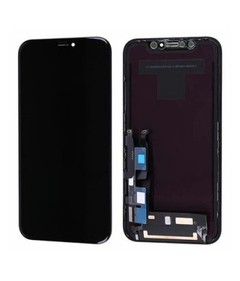
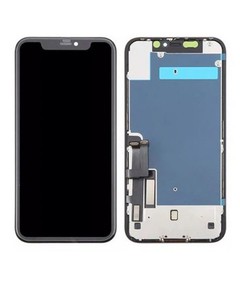
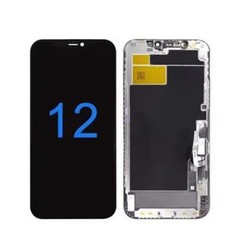
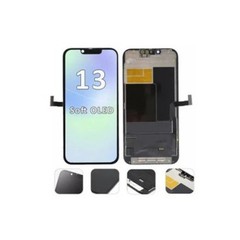
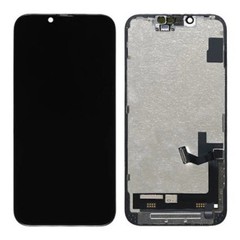



Common iPhone LCD Defects and Their Root Causes
When a batch of replacement iPhone LCD screens starts generating complaints, the first question a wholesaler, distributor, or repair chain asks is rarely "what's wrong with the screen." It's "is this a manufacturing defect, or something else?" That distinction determines whether the cost lands on the supplier or on the buyer's own inventory, labor, and warranty budget. This guide walks through the most common LCD defects seen in aftermarket iPhone screens, the range of realistic causes behind each one, and how a buyer can verify what's actually happening before accepting or rejecting a batch.
A visible defect on a replacement screen is a symptom, not a diagnosis. The same flicker, line, or dead-touch zone can trace back to the panel itself, the flex or connector, the installation process, or the host device - and treating every defect as automatically "the factory's fault" (or automatically "the technician's fault") leads to bad procurement decisions in both directions. This article gives wholesale buyers, purchasing managers, and QC teams a working framework for telling these causes apart before a defect turns into a disputed return.

Quick Answer
Common defects in replacement iPhone LCD screens generally fall into five categories: display defects (dead pixels, lines, discoloration), touch defects (dead zones, ghost touch, edge failure), backlight defects (leakage, uneven brightness), assembly or physical defects (frame misalignment, flex or connector damage), and intermittent performance problems (flickering, inconsistent touch response).
The symptom alone rarely tells you the cause. A line on the display can come from the panel, a damaged flex cable, a loose connector, or pressure applied during installation - and a screen that tests perfectly before installation but fails afterward points somewhere different than one that fails during incoming inspection. A reliable process combines symptom identification, controlled testing, comparison against a known-good reference unit, batch information, and installation or handling records before any defect gets classified.
Common Defects, Possible Causes, and Procurement Risk
The table below covers the defects most often flagged during incoming inspection or reported back from the field on iPhone replacement LCD screens sourced for wholesale supply. Each row separates what the buyer actually sees from what it might mean - the two are not the same thing, and the gap between them is where most disputed returns happen.
| Defect / Symptom | What Buyers May Observe | Possible Root Causes | How to Verify | Procurement Risk |
|---|---|---|---|---|
| Dead pixels | One or more fixed dark or colored points on the display | Panel-level component variation; damage during handling or transport | Full-screen test patterns (white, black, red, green, blue) under normal lighting; compare against reference unit | A single isolated pixel should be checked against whatever acceptance criteria the buyer and supplier have agreed on; pixels clustered in one area, or the same pattern showing up across several units, points toward a batch-level issue rather than a one-off |
| Display lines | Horizontal or vertical lines, constant or appearing under pressure | Panel or bonding issue; flex cable damage; loose or damaged connector; pressure from installation | Check the unit under normal handling first, then inspect the flex, connector seating, and frame fit separately if the line only shows up - or changes - once the unit is handled or reinstalled | Lines that shift with handling point toward the flex or connector rather than the panel itself, which changes who is likely responsible |
| Backlight leakage | Uneven brightness or light bleed at edges/corners, most visible on a dark screen | Backlight assembly variation; bonding inconsistency; frame/assembly pressure during installation | Dark-room or dark-screen inspection under low ambient light; compare edge brightness across multiple units | Some degree of edge leakage can occur depending on panel and assembly characteristics; buyers should put acceptable limits in writing rather than judge each unit on a case-by-case feel |
| Uneven brightness | Visible brightness inconsistency across the panel or between units in the same order | Backlight or panel variation; batch-to-batch inconsistency | Side-by-side comparison of multiple units at the same brightness setting | Signals batch consistency risk more than a single-unit defect |
| Abnormal color / color inconsistency | Color shift or visible difference between screens in the same order | Panel-level variation; calibration differences between production runs | Compare same test image across several units under identical lighting | Affects consumer-facing repair quality even when each unit "works" |
| Touch dead zones | Areas of the screen that don't register touch input | Touch-layer defect; flex or connector issue; device-side digitizer problem | Full-area touch test using a grid or drawing app; retest after reseating the connector | Requires isolating screen-side vs. device-side before classification |
| Ghost touch | Unintended or erratic touch input without contact | Touch-layer or controller issue; installation pressure; device-side software or hardware factors | Test on a known-good device; observe with no physical contact for several minutes; check after reinstallation with corrected pressure | High warranty-cost item if repeated - see ghost touch troubleshooting process for replacement screens |
| Edge touch failure | Reduced or missing response near the screen edges | Touch-layer or assembly issue near the frame; installation-related pressure at the edge | Test edge-to-edge, not just the center; repeat after confirming even frame seating | Often installation-related; verify frame fit before treating as a panel defect |
| Flickering / intermittent display | Screen flickers or drops out briefly, not consistently reproducible | Connector or flex issue; intermittent panel fault; loose seating | Extended test period rather than a single short check; if the symptom changes during normal handling, follow up by inspecting the flex, connector, and frame seating | Intermittent faults are easy to miss in a quick sample check - repeated testing matters more here than elsewhere |
| Physical / assembly defects | Frame misalignment, visible adhesive residue, flex damage, connector damage | Assembly process variation; packaging or transport damage | Visual and physical inspection on arrival, before any functional testing | Often traceable to handling rather than the panel itself |

How Buyers Can Trace a Defect Back to Its Source?
Reaching a defensible conclusion - rather than a guess - usually follows a consistent sequence.
- Confirm the symptom. Write down exactly what's happening, under what conditions, and whether it's constant or intermittent. Vague descriptions like "the screen doesn't work right" make later comparison difficult.
- Test before installation where possible. If a unit can be function-tested on a test rig or spare device before it goes into a customer's phone, do it. A fault that shows up consistently at this stage is strong evidence that installation isn't the cause, since the unit hadn't been handled or fitted into a device yet.
- Compare against a known-good reference. A single unit tested in isolation tells you less than the same unit tested next to a reference screen from a batch that performed well.
- Check installation and device variables. Connector seating, flex routing, frame pressure, and the condition of the host device itself all affect outcomes that look identical to a panel defect on the surface.
- Check whether the problem repeats. One failed unit out of a large batch is a different situation than the same symptom appearing across several units. A repeated pattern is stronger evidence of a batch-level or manufacturing-related issue than an isolated case.
- Check batch information. Model, batch or production date, and any inspection records the supplier provided help determine whether a defect is isolated or connects to a wider pattern - this is part of why iPhone LCD return-rate reduction strategies start with better batch documentation, not just better screens.
- Classify with appropriate caution. Based on the evidence, a unit can reasonably be described as confirmed manufacturing-related, likely manufacturing-related, installation/handling-related, device-related, or inconclusive and requiring further testing. This classification is a working assessment, not a legal or warranty determination - final responsibility depends on the terms agreed with the supplier.
This last step is the one that actually carries weight in a dispute. It's easy to describe a defect; it's harder to say, with evidence behind it, which category it belongs in - and everything that follows in this guide, from the comparison table below to the supplier's own QC records, exists to make that classification defensible rather than a guess.

Manufacturing Defect or Installation/Handling Issue?
The same visible symptom can originate on either side of the installation process, which is why responsibility shouldn't be assigned from the symptom alone.
| Observation | Possible Manufacturing Issue | Possible Installation / Handling Issue | What to Check |
|---|---|---|---|
| Line appears only when the unit is handled or reinstalled | Bonding or panel-level fault | Flex cable pinched during assembly | Check whether the line is present under normal handling first, then inspect flex routing and frame fit if it only appears once the unit is touched or refitted |
| Backlight leakage at one corner only | Backlight assembly variation | Frame pressure applied unevenly during installation | Compare corner brightness before and after reseating |
| Touch dead zone near the edge | Touch-layer defect at the panel edge | Connector not fully seated, or frame misalignment | Reseat connector, retest full-area touch |
| Screen worked in testing, failed after install | Rare intermittent panel fault | Static discharge, pressure, or connector damage during install | Review installation notes and technician handling records |
| Flickering appears intermittently | Loose internal connection at panel level | Flex cable stress from repeated opening/closing | Extended testing period; inspect the flex, connector, and frame seating if the symptom changes during normal handling |
Buyers should establish clear manufacturing defect versus installation damage criteria before evaluating any warranty claim, rather than deciding case by case each time a return comes in. Without that groundwork, the same symptom can get classified differently depending on who happens to review it. In practice, that means the classification a unit receives should rest on what the test evidence, installation history, and repeat rate actually show - not on which side of the transaction is reviewing the complaint that day.
Why One Good Sample Isn't Enough?
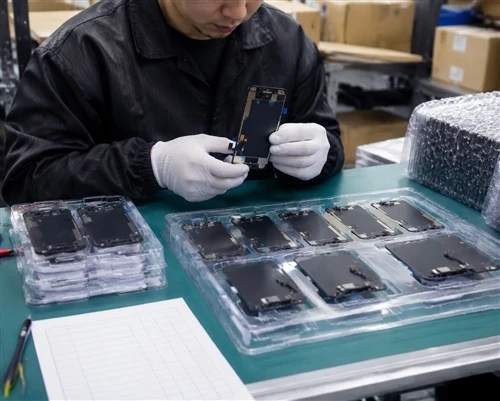
A sample that passes inspection tells you about that unit - it doesn't tell you about the next 500. Sample testing should cover multiple units, representative models within the order, and both pre-installation functional checks and visual inspection, with results documented rather than assessed by memory.
This is the core difference between sample quality and bulk-order consistency: a supplier can reasonably produce a strong sample batch under close attention and still show more variation once production scales up. Before increasing order volume with a new or existing supplier, it's worth reviewing their sample-to-bulk consistency controls rather than assuming that one good trial order guarantees the next one. A single strong sample also makes for weaker classification evidence than the same result repeated across several units from the same production run - which is exactly why one passed sample shouldn't be read as proof that the whole batch will behave the same way.

What a Reliable LCD Supplier Should Do to Prevent These Defects?
A supplier that takes quality seriously will generally be able to describe - and show records for - controls at several points in the process: incoming material inspection before assembly, in-process display and touch testing, visual inspection under consistent lighting, batch sampling at defined intervals, and a final inspection step before packaging. Batch identification and test records matter as much as the testing itself, since they're what let a buyer trace a defect back to a specific production run later.
If a supplier can't describe their inspection points in concrete terms, or can only speak generally about "strict quality control" without specifics, that's a gap worth asking about directly before placing a larger order. A QC record that's actually useful to a buyer notes not just that a unit passed or failed, but what was checked and why it was classified the way it was - that's the detail that turns a defect report into something you can act on later, rather than a number to file away.
iPhone LCD Defect Inspection Checklist for Wholesale Buyers
Display
- Dead pixels (test pattern across full color range)
- Lines, constant and pressure-triggered
- Brightness consistency across units
- Color consistency across units
- Flickering under extended testing
- Backlight leakage (dark-screen check)
Touch
- Full-area touch response
- Edge-to-edge touch response
- Dead zones
- Ghost touch (no-contact observation period)
- Repeated response after reseating connector
Physical / Assembly
- Frame alignment and fit
- Flex cable condition
- Connector condition
- Visible adhesive or assembly abnormalities
Documentation
- Model and batch reference
- Sample reference unit used for comparison
- Inspection date
- Defect description (specific, not general)
- Test result and classification
- Supplier response and resolution
Procurement
- Written acceptance criteria
- Warranty terms
- Return procedure and timeline
- Batch handling for confirmed defects
- Agreed responsibility-assessment process
The Real Cost of an Undetected Defect
A defect that surfaces after installation doesn't stop at the cost of one screen. It shows up as technician time spent diagnosing and reinstalling, a second unit pulled from inventory, a customer complaint that affects the repair shop's own reputation, a warranty claim to process with the supplier, and - if the defect turns out to be batch-wide - a disruption across the rest of that order's inventory.
This is also why unit price alone is a poor way to compare suppliers. A screen priced slightly lower but with a higher rate of post-installation issues can end up costing more once labor, replacement units, and customer-facing complaints are counted. None of this requires precise defect-rate math to be true qualitatively - it's the reasoning behind why return-rate patterns, not just price sheets, belong in a supplier evaluation.
Recommendations by Buyer Type
- Small repair shops get the most value from testing a representative sample from each new batch, keeping a simple written acceptance standard, and being clear on warranty terms before the first unit goes into a customer's phone.
- Repair chains benefit from standardizing inspection steps across locations, tracking batch numbers against defect reports, and pushing for consistency from the same supplier order to order.
- Distributors carrying a wider spread of models - for example a mix of iPhone 12 and iPhone 15Plus LCD replacement screens in the same order - should sample across each model rather than one, track return rates by batch over time, and keep a running quality record per supplier rather than judging each order in isolation. Holding every model to the same classification criteria is what makes that record comparable from one order to the next.
- Importers and wholesalers are best served by confirming specifications and acceptance standards in writing before shipment, requesting pre-shipment verification where practical, and having warranty and responsibility terms agreed before, not after, a dispute comes up.
FAQ
What are the most common defects found in replacement iPhone LCD screens?
Common defects reported in replacement iPhone LCD screens include dead pixels, display lines, backlight leakage, uneven brightness, touch dead zones, ghost touch, and intermittent flickering.
How can buyers tell whether an LCD defect is manufacturing-related?
By checking whether the issue was present before installation, whether it repeats across multiple units from the same batch, and whether it responds to installation-related factors like connector seating or frame pressure. A single test on a single unit rarely settles the question on its own.
Should buyers test every LCD screen before installation?
Testing every unit isn't always practical at scale, but a representative sample from each batch - checked against a defined set of display and touch criteria - significantly reduces the risk of installing a defective unit and discovering it only after the fact.
How many samples should be tested before a bulk order?
There's no universal number, since it depends on order size and how much risk a buyer is willing to accept. What matters more than the exact count is testing enough units, across enough of the models in the order, to catch a pattern rather than relying on a single sample.
What should a supplier's defect report include?
At minimum: the model and batch reference, what was tested, the test conditions, the actual result, and how any defects found were classified - not just a pass/fail summary.
How should defective screens be handled in a bulk order?
Confirmed defects should be documented with photos or test evidence, matched against the batch reference, and handled according to a warranty or return process agreed with the supplier in advance, rather than negotiated fresh with each incident.
Before Increasing Order Volume
A pattern of unexplained defects across a batch is worth investigating before it's worth accepting as a normal cost of doing business. Buyers evaluating a new supplier, or reconsidering an existing one, can request representative LCD samples for quality evaluation and share their target models and expected order quantities, so testing and acceptance criteria are aligned before - not after - a bulk order goes ahead.
We supply iPhone LCD screens for wholesale, distribution, and repair-business purchasing rather than local consumer repair services - if you're sourcing for resale, repair operations, or bulk installation, send us your target models and order quantities and we'll walk through sample testing and quality documentation with you directly.