
What Causes Ghost Touch After Screen Replacement?
Ghost touch is when a screen registers input - taps, swipes, app launches, even typed characters - that nobody made. After a screen replacement, this symptom does not automatically mean the replacement LCD is defective. It can come from the screen assembly itself, from how the screen was installed, or from a problem that already existed on the device before the repair. This guide shows how to narrow down the likely cause, separate a screen defect from an installation problem, and decide when the evidence actually justifies a supplier claim.
For a business that replaces screens at volume, this distinction is not academic. A ghost touch complaint that turns out to be an installation issue wastes a warranty claim and delays a customer's phone. A ghost touch complaint that is dismissed as installation error when it was actually a supplier defect erodes trust in the replacement screen and can repeat across the next batch. Getting the classification right, case by case, is part of what keeps return rates manageable.
What Is Ghost Touch After Screen Replacement?
Ghost touch is different from a screen that simply fails to respond. An unresponsive screen does nothing when touched. A screen with ghost touch does something when it should not - it opens apps on its own, types characters that were never pressed, scrolls without a finger present, or registers taps in areas nobody touched.
The behavior can be continuous (constant, unpredictable input the moment the screen is unlocked) or intermittent (appearing only under certain conditions - while charging, when the phone gets warm, after the device has been in a pocket, or seemingly at random). This distinction matters for diagnosis: continuous ghost touch that appears immediately after installation points toward the screen or the installation itself, while intermittent ghost touch tied to specific conditions can point toward a connector, a charging cable, or even a case that is putting pressure on the frame.
For a repair business, the outcome is the same either way: a customer comes back, a technician has to spend time re-diagnosing a phone that was already "finished," and someone has to decide whether that time and the replacement part are the shop's cost, the customer's cost, or the supplier's responsibility.

What Causes Ghost Touch After Screen Replacement?
Ghost touch after a screen replacement generally falls into one of five categories, and separating them matters because each one points toward a different next step rather than the same fix. Across all five, one question does more diagnostic work than any other: does the problem follow the replacement screen, or does it stay with the device? The sections below work through each category, and the diagnostic steps that follow are built around answering that one question first.
Replacement Screen or Touch-Layer Problems
The touch-sensing layer of a replacement LCD can be a source of erratic input if there is a manufacturing inconsistency in that layer, a defect introduced during assembly of the screen module, or damage that occurred during shipping or handling before the screen ever reached the technician's bench. These touch-related components can fail independently of visible image quality, so a screen can display a normal picture while still producing abnormal touch behavior underneath it.
A useful way to narrow this down while testing touch response on replacement screens is to check whether the erratic input follows the screen when it is moved into a second, known-good device. If the symptom follows the screen, the screen assembly itself is the more likely source. If the same device behaves normally with a different screen installed, that also points back to the original unit rather than the device.
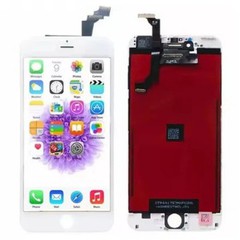
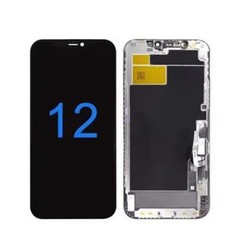
On a high-volume intake model such as the iPhone 12 replacement LCD screen, this kind of swap test only takes a few minutes and settles the question well before a warranty claim is written up.
Connector and Installation Problems
Before any defect is assigned to the replacement screen, the connection between the screen and the logic board should be checked. A digitizer or LCD connector that is not fully seated, a connector pin that has been bent during installation, or debris trapped under a connector can all produce symptoms that look identical to a touch-layer defect from the outside. This is a common way a genuine manufacturing question ends up misattributed, and it is also one of the easiest things to rule out with a careful re-seat and inspection.
Damage During Handling or Installation
Physical stress during installation - excessive pressure while seating the screen, a frame that was bent while removing the old unit, adhesive residue interfering with proper seating, or a screw torqued down unevenly - can create a mechanical condition that produces intermittent or pressure-sensitive ghost touch. This category is worth checking early because it is fully within the installer's control and does not require any conclusion about the replacement part's quality.
Device-Side Hardware Problems
The original device should not be excluded from consideration just because the screen was the part that was replaced. A phone with prior water exposure, a previously repaired logic board, frame damage from an earlier drop, or an aging battery that swells slightly can all contribute to touch irregularities that have nothing to do with the new screen. This is particularly relevant for used or previously repaired devices coming through a repair chain's intake process.
Software or Environmental Factors
Software issues are a less common but real contributor - a corrupted update, a third-party app with excessive background activity, or a case or screen protector interfering with the touch layer at the edges can all produce symptoms that resemble ghost touch. These should be checked, but they should not be assumed as the default explanation without ruling out the more common hardware-related causes first.

How to Diagnose the Cause?
For a repair shop or distributor, working through a fixed sequence - rather than guessing - is what actually separates a manufacturing question from an installation question. Every step below builds toward answering the single question that matters most: does the symptom follow the screen, or does it stay with the device?
- Confirm the symptom precisely. Note whether the input is continuous or intermittent, and under what conditions it appears.
- Inspect the replacement screen for visible damage, bent connectors, or contamination on the flex cable.
- Check installation and connectors, including reseating the digitizer/LCD connector and confirming the frame is not under mechanical stress.
- Test the device under controlled conditions - screen protector and case removed, device at normal temperature, away from any charging accessory.
- Compare with a known-good screen on the same device where one is available.
- Record the test conditions and results at each stage, so the pattern is documented rather than remembered.
- Determine whether the issue follows the screen or stays with the device by swapping components where practical, then document that conclusion as the evidence for any claim that follows.
This sequence will not resolve every case with certainty. Some devices have overlapping issues - a slightly damaged connector on a device that also has a marginal touch layer, for example - and in those cases the goal is to narrow the possibilities enough to make an informed decision, not to reach absolute proof. But step 7 is the one that carries the most weight: a symptom that follows the screen from device to device is a materially different finding than one that disappears the moment installation is redone.

Manufacturing Defect vs. Installation Damage
The table below is a working framework for triage, not a substitute for hands-on diagnosis on the specific unit in front of you. The "behavior across devices" row is the practical version of step 7 above - it is the single strongest signal in the table, and the other rows exist mainly to confirm or challenge what that row already suggests.
| Factor | Points toward a manufacturing-related issue | Points toward an installation-related issue |
|---|---|---|
| Symptom consistency | Present immediately after installation, before any handling | Appears after specific handling, pressure, or reassembly steps |
| Behavior across devices | Follows the screen when swapped into a second device | Disappears when the same screen is reinstalled carefully |
| Reproducibility | Reproducible under stable, controlled conditions | Tied to pressure, flexing, or a specific case/mounting condition |
| Physical evidence | No visible damage to connector, flex cable, or frame | Bent pin, misaligned connector, adhesive interference, or frame stress visible |
| Connector condition | Connector fully seated and undamaged | Connector loose, partially seated, or shows contact marks |
| Comparison with known-good screen | Known-good screen resolves the symptom on the same device | Known-good screen shows the same symptom if installation is the actual cause |
| Batch pattern | Same symptom reported across multiple units from the same batch | Isolated to a single technician, single repair session, or single device |
| Recommended next step | Document and raise with supplier as a suspected defect | Correct installation and retest before escalating |
A single row pointing one direction is a clue, not a verdict - a pattern across several rows, especially the batch-pattern row, is what actually justifies raising the issue with a supplier rather than treating it as a one-off. The same logic applies more broadly when separating installation damage from a manufacturing defect on any LCD-related symptom, not only touch behavior.
What Evidence Is Strong Enough to Escalate a Supplier Claim?
Not every ghost touch report needs to go to a supplier, and not every supplier claim needs to wait for perfect certainty. A claim is generally on solid ground once several of the following are true, with the first two carrying the most weight because they answer the follow-the-screen-or-stay-with-the-device question directly:
- The problem follows the replacement screen when it is moved to a second device.
- A known-good reference screen behaves normally in the same device.
- The symptom can be reproduced under controlled, repeatable conditions.
- Installation and connector seating have already been checked and ruled out.
- The same symptom has appeared on more than one unit from the same batch.
- The batch or sample identifier for the affected unit has been recorded.
- Photo or video evidence of the behavior has been captured.
None of these on its own proves a manufacturing defect, but together they turn a subjective complaint into a case a supplier can actually investigate.
Why This Matters to Wholesale Buyers?
A ghost touch complaint carries costs well beyond the price of the replacement screen. A technician has to re-open a device that was considered finished, which means labor that was not budgeted for that job. A customer who experiences ghost touch shortly after paying for a repair is unlikely to be patient about a second visit, and repeat visits for the same device affect a shop's reputation locally regardless of whether the root cause is eventually traced to the screen, the installation, or the device itself.
At the distributor and wholesaler level, the exposure compounds. A single defective sample is a minor cost, but a batch-level touch problem that is not caught before it reaches multiple repair shops turns into a wave of warranty claims and RMA processing - and, if it happens more than once, a supplier relationship a buyer starts to question. Reducing this kind of exposure is a core part of reducing iPhone LCD return rates, which depends on treating a symptom like ghost touch as a classification problem to be resolved quickly rather than a customer-service inconvenience to be absorbed quietly.
A low unit price on a replacement screen also does not tell the whole story of its cost. If a screen generates a disproportionate number of touch-related returns, the labor, the replacement units, and the warranty administration involved can outweigh whatever was saved on the original purchase price.
How to Test Replacement LCD Samples for Touch Problems?
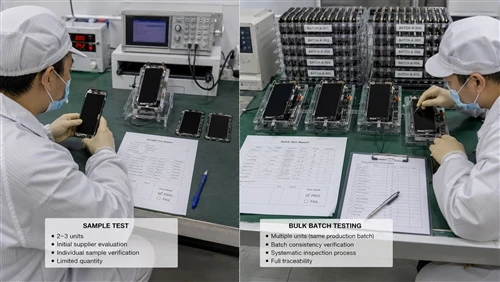
Sample evaluation is where a lot of ghost touch problems can be caught before they ever reach a bulk order. Before approving a sample, buyers should check more than whether the screen works once on the bench:
- Test more than one sample rather than relying on a single unit's performance.
- Install samples on compatible, verified-good devices that match the models moving through the shop in the highest volume.
- Check touch response across the entire usable area of the screen, not only the center.
- Watch specifically for intermittent behavior, which is easy to miss in a short bench test.
- Repeat the test after normal handling - picking the device up, setting it down, light pressure at the edges - rather than testing only in a static position.
- Compare the sample's touch behavior against a known-good reference unit where one is available - the same follow-the-screen logic used in diagnosis applies here: if abnormal behavior moves with the sample rather than staying with the test device, that is a meaningful result on its own.
- Record the model, the sample or batch identifier, the test conditions, and the result for each sample tested.
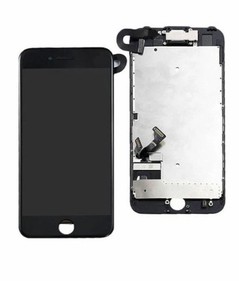
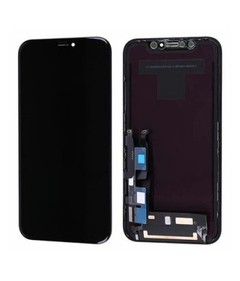
For a distributor stocking several current models, results should be tracked model by model rather than pooled together - a good outcome on an iPhone XR replacement LCD screen says nothing about how a different model's samples will perform, since assembly and touch-layer sourcing can differ between models even from the same supplier.

Why Sample-to-Bulk Consistency Matters?
Passing a sample test answers a narrower question than most buyers assume: it confirms that one unit performed well, not that the production run behind it will hold to the same standard. What actually protects a bulk order is the way a supplier controls the gap between an approved sample and everything that ships afterward - sample-to-bulk consistency controls such as documented batch testing, outgoing inspection before shipment, and traceability that ties a finished unit back to its production run if a defect is reported months later.
A supplier that can walk through how a bulk shipment is checked against the same standard the sample was judged by is giving a buyer something more useful than a low unit price: a basis for trusting that the next container will behave like the one that was already approved.
What Buyers Should Ask an LCD Supplier?
Before increasing order volume, it is reasonable to ask a supplier direct questions about how touch performance is verified, rather than assuming a passed sample guarantees the same result at scale:
- How is touch response tested before a batch ships - individually, or by sampling?
- How are touch-related defects recorded internally when they are found?
- How is consistency monitored between one production batch and the next?
- How does the supplier distinguish an installation-related complaint from a suspected manufacturing defect when a buyer reports one?
- What information does the supplier need from a buyer to investigate a suspected touch defect - photos, video, device model, batch number?
- What does the supplier's B2B warranty process actually cover for touch-related issues, and what is excluded?
- How are confirmed defective units handled - replacement, credit, or another process?
- Can the supplier share relevant quality-control documentation to support these answers?
A supplier's willingness to answer these plainly, without vague reassurance, is itself useful information about how that relationship will hold up if a batch problem does occur.
Buyer Checklist
Before ordering samples
- Confirm exact iPhone model compatibility for the intended repair volume.
- Confirm the specification being quoted (panel type, touch layer source, assembly grade).
- Confirm sample identification and batch information so results can be traced later.
- Confirm what the supplier expects in terms of testing and warranty reporting.
During sample testing
- Test touch response across the full usable screen area.
- Repeat the test after normal handling, not only on a static bench.
- Check for intermittent behavior, not just an initial pass/fail result.
- Compare against a known-good reference screen where possible.
- Record results per sample, not as a single pooled impression.
Before bulk ordering
- Confirm the quality requirements agreed for the order in writing.
- Confirm what inspection will be performed before shipment.
- Confirm batch identification will be provided with the shipment.
- Confirm warranty terms specific to touch-related defects.
- Confirm how defective units will be handled if found after receipt.
- Confirm the supplier's response process if a batch-level problem appears.
Common Buyer Mistakes
Assigning blame before diagnosis. Whether it's a supplier accused before installation is checked, or a technician blamed before the screen itself is tested, skipping the diagnostic sequence damages the wrong relationship and leaves the real cause unresolved.
Testing only one sample. A single passed sample says little about batch consistency and can create false confidence going into a larger order.
Failing to document symptoms. A defect report without conditions, batch number, and test steps gives a supplier little to work with, which slows resolution.
Ignoring sample-to-bulk consistency. Approving a sample without asking how the supplier controls quality at production scale leaves a buyer exposed the moment volume increases.
Comparing suppliers on unit price alone. A cheaper screen with a higher rate of touch-related returns is not necessarily the lower-cost option once labor and warranty handling are included.
Failing to clarify warranty terms and batch traceability upfront. Disputes over who bears the cost of a defective unit, and which batch it came from, are harder to resolve after the fact than before the order is placed.
How Supplier Quality Control Can Reduce Touch-Related Risk?
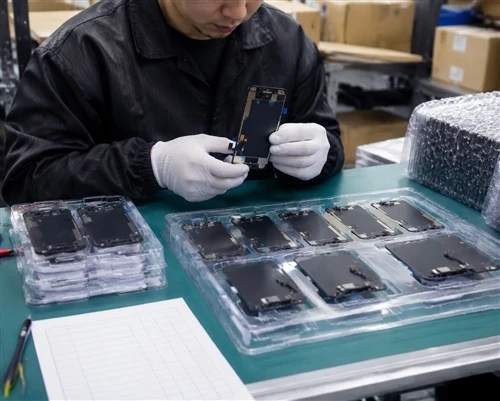
At the factory level, reducing touch-related risk typically comes down to controls at several points in the process: incoming material checks, in-process inspection during assembly, functional touch testing before packaging, and batch records that let a finished unit be traced back to its production run if a problem surfaces later. Packaging and handling also play a role, since physical damage in transit can produce symptoms that look identical to an assembly defect.
The exact inspection methods, sampling rates, and acceptance criteria vary from one supplier to another, so it's worth asking a given supplier directly for the quality-control information that applies to the specific screen being sourced, rather than assuming every factory follows the same process.

FAQ
Can a replacement LCD cause ghost touch?
Yes, a replacement LCD can be a source of ghost touch if there is a manufacturing inconsistency or defect in the touch layer, or if the unit was damaged before installation. It is one of several possible causes and should be confirmed through testing rather than assumed by default.
How can a repair shop determine whether ghost touch is caused by the screen or the installation?
Reseating the connector, inspecting for physical damage, and testing the same screen in a second device (or a second screen in the same device) are practical ways to narrow this down without specialized equipment.
Should multiple LCD samples be tested before placing a bulk order?
Yes. A single sample that performs well does not confirm that an entire batch will behave the same way, particularly for a symptom like ghost touch that can be intermittent.
Can ghost touch appear only after installation, even if the screen itself is not defective?
Yes. Installation-related mechanical stress, a loose connector, or contamination introduced during the repair can all produce ghost touch on a screen that would otherwise perform normally.
What information should a buyer provide when reporting a suspected touch defect?
The device model, the screen's batch or sample identifier, a description of the symptom (continuous or intermittent, and under what conditions), the diagnostic steps already taken, and photo or video evidence where possible.
What should a B2B LCD warranty cover for touch-related defects?
This depends on the specific terms agreed with a given supplier. Buyers should confirm in writing what is covered, what evidence is required to file a claim, and how confirmed defects are resolved, before relying on assumptions about standard industry practice.
Ghost touch after a screen replacement is a diagnostic question before it is a blame question. Working through installation, the device, and the replacement screen in that order - and documenting what is found at each step - is what turns a frustrating repeat visit into a resolvable case, whether the resolution lands with the technician, the device, or the supplier.
Before increasing order volume on any model, it's worth putting that same diagnostic standard on the supplier side of the relationship. Submit your target models, quantities, and quality requirements to receive representative samples, the supplier's touch-testing and quality-control information, and a wholesale quotation together - so sample approval and bulk-order quality are judged against the same evidence from the start.