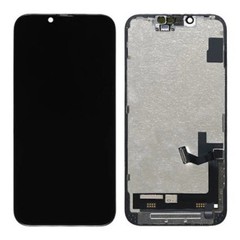


How to Identify Dead Pixels and Backlight Leakage?
Dead pixels are individual points on an LCD panel that fail to display color correctly, appearing as fixed black, white, or colored dots. Backlight leakage is uneven light escaping from the panel's edges or corners, most visible as bright patches on a black screen in a dark room. For wholesalers, distributors, and repair-business buyers, both defects matter because they are easy for end customers to spot and are among the most common reasons screens get returned after installation. This guide explains how to check for dead pixels and backlight leakage during sample approval, incoming inspection, and pre-shipment batch checks - before a defect reaches a customer's hands.

Quick Answer
In short, both defects should be identified before approval: dead pixels appear as abnormal fixed points on the display, while backlight leakage appears as uneven light around the edges of the panel. Check for both at sample evaluation and again at incoming inspection - not after a repair shop has already installed the screen.
What Are Dead Pixels in iPhone LCD Screens?
A dead pixel is a single point on the display that does not respond correctly to the signal sent to it. In practice, buyers will encounter a few different failure types:
- Dead pixel – stays permanently black, regardless of what color the screen is showing.
- Stuck pixel – stays fixed on one color (commonly red, green, or blue) instead of changing with the image.
- Bright pixel – shows as a small white or colored dot against dark backgrounds.
- Pixel cluster – several adjacent dead or stuck pixels grouped together, which is more noticeable and more likely to be flagged by an end customer.
A single dead pixel near the edge of the screen may go unnoticed by a casual user. A pixel cluster in the center of the display, however, is immediately visible and is one of the fastest ways a repair shop loses customer trust. For buyers, the concern isn't just cosmetic - every dead-pixel unit that reaches an end customer becomes a return, a warranty claim, or a support call that eats into the shop's margin and reputation. This is why pixel inspection belongs in the sample evaluation stage, not after installation.
What Is Backlight Leakage and Why Does It Happen?
Backlight leakage occurs when light from the LCD's backlight unit escapes unevenly, most often visible around the edges, corners, or seams of the panel when the screen displays solid black in a dark environment. Common visible symptoms include:
- Bright patches or glowing edges along one or more sides of the screen
- Uneven brightness that shifts depending on viewing angle
- Leakage that becomes more pronounced at higher brightness settings
Typical causes include gaps or misalignment between the backlight film layers, inconsistent lamination during panel assembly, or physical stress introduced during shipping or installation. It's worth distinguishing normal brightness variation from a genuine defect: almost all LCD panels show a very slight, even glow near the edges under close inspection in total darkness - this is a characteristic of LCD backlighting and not, by itself, a defect. Abnormal leakage is uneven, concentrated in one area, forms a distinct bright patch or line, and is visible even at moderate brightness in a dim (not pitch-black) room. Buyers evaluating iPhone LCD sample testing before bulk ordering should treat consistency and severity, not the mere presence of any edge glow, as the deciding factor.
How Wholesale Buyers Can Test for Dead Pixels?
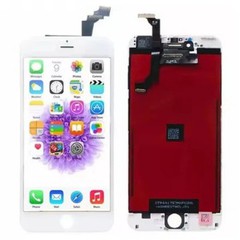
Testing for dead pixels doesn't require special equipment, but it does require a consistent method applied to every sample and every batch - whether you're sourcing iPhone replacement LCD screens across a broad model range or focusing on a specific line such as replacement LCD for iPhone 12 series. A simple screen-color testing app or website (available for both computers and test rigs) that cycles through solid colors is sufficient.
Testing environment
- Test in a room with moderate, even lighting - not direct sunlight and not total darkness
- Set the screen to a mid-to-high brightness level for pixel checks
- Clean the screen surface first so dust isn't mistaken for a defect
Testing procedure
- Display a full black background and scan the entire screen edge to edge for bright or colored dots
- Display a full white background and check for black or colored dots
- Cycle through solid red, green, and blue backgrounds - each color makes different stuck-pixel types easier to spot
- Check the display at a slight angle as well as straight-on, since some pixel defects are more visible off-axis
- Note the exact location (using a grid reference or screenshot) of any dead, stuck, or bright pixels found
Dead pixel inspection checklist
| Step | What to Check | Pass Criteria |
|---|---|---|
| 1 | Black screen | No visible white/colored dots |
| 2 | White screen | No visible black/colored dots |
| 3 | Red screen | No stuck pixels of other colors |
| 4 | Green screen | No stuck pixels of other colors |
| 5 | Blue screen | No stuck pixels of other colors |
| 6 | Off-angle view | No additional pixels visible |
| 7 | Result recorded | Location, color, and count logged |
Recording results consistently - not just marking "pass" or "fail" - is what allows a buyer to compare defect rates across suppliers and across shipments over time.
How to Check Backlight Leakage Before Bulk Orders?
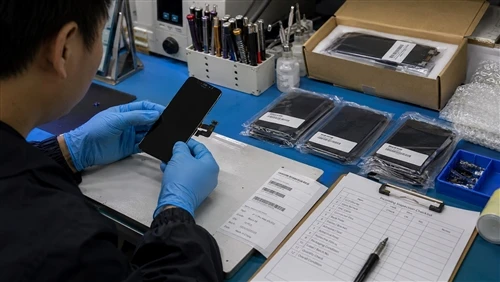
Backlight leakage is best evaluated in conditions that mimic how an end customer would actually notice it: a dim room, at night, or with the lights off.
Inspection method
- Move to a dark or dimly lit room; total darkness makes the check more sensitive but a moderately dim room better reflects real-world visibility
- Display a full black screen at a mid brightness setting (not maximum, which can mask uneven leakage by pushing overall brightness up everywhere)
- Inspect all four edges and all four corners individually, rather than glancing at the screen as a whole
- Gently vary the viewing angle, since leakage can be more visible from certain angles
- Compare the sample directly against a second unit or a known-good reference screen - leakage severity is often easier to judge side by side than in isolation
Documentation
- Photograph the black-screen test in consistent lighting conditions for each sample
- Note which edge or corner shows leakage, and rate severity (none / minor / moderate / severe) rather than a simple pass/fail, since minor edge glow is normal on most LCD panels
- Keep photos on file against the supplier and batch number for future reference if a dispute arises
Buyers who skip the side-by-side comparison step often accept units with leakage simply because they have nothing to compare them against - a lone sample can look "acceptable" until it's placed next to a clean unit.

Dead Pixels vs Backlight Leakage: Comparison for Buyers
| Dead Pixels | Backlight Leakage | |
|---|---|---|
| Appearance | Fixed black, white, or colored dot(s) | Uneven bright patches at edges/corners |
| Common causes | Panel manufacturing defect, driver IC issue | Backlight film misalignment, lamination gaps, shipping stress |
| Inspection method | Solid-color screen cycling (black/white/RGB) | Dark-room black-screen test, edge/corner check |
| Customer impact | Highly visible, especially in clusters; frequent complaint driver | Noticeable mainly in dark environments; still a common return reason |
| Supplier responsibility | Generally a manufacturing/QC defect if present out of the box | May be manufacturing-related or induced by transit/installation - document condition on arrival to determine cause |
How These Defects Affect LCD Procurement Decisions?
Dead pixels and backlight leakage are quality issues, but for a wholesale buyer they are also cost and reputation issues. A batch with even a small percentage of pixel or backlight defects translates into:
- Higher return rates, since both defects are visible to end users soon after installation
- Additional labor cost, as repair staff have to re-diagnose, remove, and reinstall a replacement screen - time that isn't billable to the original customer
- Replacement and shipping costs, particularly painful on international orders where a defective unit can't simply be swapped same-day
- Customer satisfaction and repeat business, since a customer who receives a screen with a visible dead pixel is unlikely to trust that repair shop again
- Supplier reliability signals, since a pattern of pixel or backlight defects across multiple shipments points to inconsistent QC rather than an isolated incident
This is why defect documentation at the sample stage isn't just a quality-control formality - it's a direct input into the true procurement cost of a bulk order, once returns and labor are factored in alongside the unit price.
How Reliable LCD Manufacturers Control These Risks?
Manufacturers serious about reducing dead-pixel and backlight-leakage rates typically build several checkpoints into their process rather than relying on a single final check:
- Display testing at the panel stage, checking pixel response before the LCD is assembled into a finished module
- Sample inspection before a buyer's order is confirmed, so both sides agree on the quality baseline
- In-process quality checks during assembly, since backlight alignment issues are easier to catch before final lamination than after
- Batch inspection prior to shipment, sampling units across the full production run rather than only the first units off the line
- Defect recording, so recurring issues can be traced back to a specific process step or material batch
- Clear supplier communication, including sharing inspection criteria and defect photos with buyers so both sides are evaluating against the same standard
Buyers evaluating a new or existing supplier should ask directly how each of these steps is handled, rather than assuming they're in place.

Common Mistakes Buyers Make When Checking LCD Quality
- Testing only one sample and assuming the rest of the batch will match it
- Checking only appearance (scratches, color accuracy) while skipping the black-screen and solid-color pixel tests
- Comparing samples of different quality grades against each other, which makes defect rates hard to interpret
- Ignoring batch consistency, treating a passed sample as a guarantee for the full order rather than checking units again on arrival
- Accepting a low price without inspection, which often shows up later as a much higher effective cost once returns and labor are counted
- Avoiding these mistakes is largely a matter of process - applying the same checklist to every sample and every batch, and following the sample-to-bulk consistency controls that separate a good sample from a good shipment.
Recommended Inspection Process Before a Bulk iPhone LCD Order
- Confirm product specifications - model, panel type, and any quality grade agreed with the supplier.
- Test representative samples using the dead-pixel and backlight-leakage methods above, not just a visual check.
- Record inspection results with photos, dates, and defect locations for each sample.
- Confirm quality requirements in writing with the supplier, based on what the samples showed.
- Place a controlled trial order before committing to full volume - this is also where buyers can validate their approach through iPhone LCD sample testing before bulk ordering.
- Perform incoming inspection after delivery, re-checking a sample of the received batch against the original approved sample, following the same iPhone LCD incoming inspection checklist used during sample approval.
FAQ
How many LCD samples should buyers test before a bulk order?
There's no universal number, but testing only one unit is rarely enough to judge batch consistency. Many buyers test a small set of samples - enough to catch variation between units - before approving a supplier, and then re-check a sample of the actual bulk shipment on arrival.
Are dead pixels always considered manufacturing defects?
Dead pixels present when a unit is first tested, before any installation or handling, generally point to a panel or assembly defect. If a pixel issue appears only after installation, it's worth checking installation handling as a possible cause before assuming the panel was defective from the start.
Can backlight leakage appear after installation?
Yes. Backlight leakage can be present from manufacturing, but it can also be introduced or worsened by pressure or flexing during installation. This is why documenting condition on arrival, before installation, is important for determining responsibility.
How should buyers report LCD quality problems?
Report issues with clear photos taken under consistent lighting (matching the black-screen and solid-color tests above), the batch or order number, the specific defect location, and the quantity affected. Specific, documented reports are handled far more efficiently than general complaints.
What information should be included in an LCD inspection report?
At minimum: date of inspection, batch/order reference, sample quantity tested, results for each solid-color pixel test, backlight leakage severity rating per sample, and photos supporting any defects found.
Summary
Dead pixels and backlight leakage are two of the most visible - and most commonly returned-for - display defects in replacement iPhone LCD screens. Catching them starts with a consistent testing method applied at the sample stage, continues through documented batch checks, and doesn't stop once goods arrive. Buyers who build this into their process, as part of a broader iPhone LCD screen quality control guide for wholesale buyers, spend less on returns and labor over time - even if it means a slightly slower approval process up front.

One Undetected Batch Costs More Than the Sample Ever Would
A single unchecked pallet of dead-pixel or backlight-leakage units doesn't just come back as a return - it comes back as re-diagnosis labor, a replacement shipment, and a customer who now questions every future order from that supplier. Verifying a sample properly, before it becomes a bulk order, is the cheapest quality control step in the entire process.
Request representative LCD samples and our sample-testing checklist → Get physical units to run the black-screen, solid-color, and dark-room tests above yourself, along with the checklist to log results against.