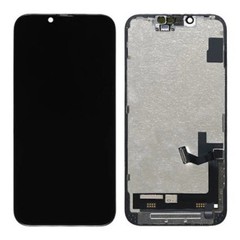



How to Handle Defective Screens in a Bulk Order?
If defective screens turn up in a bulk order, stop installing units from the affected batch, verify the defect under controlled conditions, document the evidence, and confirm whether the pattern is isolated or batch-related before contacting the supplier. Assuming a refund is owed on day one, or assuming the installer made a mistake before checking, is usually what turns a manageable case into an expensive one.
The full sequence runs: isolate, inspect, test, document, identify the pattern, communicate the claim, agree on a resolution. A report built on that sequence holds up when a supplier's QC team reviews it. A phone call demanding a refund on day one usually doesn't.

Why Defective Screens Need a Structured B2B Process?
Counting how many units failed is the easy part. Knowing why they failed - and whether the failure says anything about the batch as a whole - is what actually protects a buying relationship. A defect count with no supporting detail doesn't tell a supplier whether to check one production line or their entire packing process. Buyers whose reports carry evidence tend to get faster, more specific resolutions than buyers who only report a quantity. That same tracking habit - treating failures as data instead of one-off complaints - is what makes it possible to start reducing iPhone LCD return rates across a repair business's whole inventory, not just this shipment.
What Should You Do When Defective Screens Are Found?
Step 1: Stop Installing the Suspected Units
Pull the rest of the batch from installation once one unit's defect is confirmed, even if only one has failed so far. Pulling the batch does not mean declaring it defective - it keeps installation and handling out of the investigation until the pattern is actually understood.
Step 2: Identify the Model, Order, and Batch
Record the model, the order or PO number, the batch or production reference if one was provided, the quantity received, and the quantity affected - before anything else. Without these details, a defect report cannot be traced back to a specific production run.

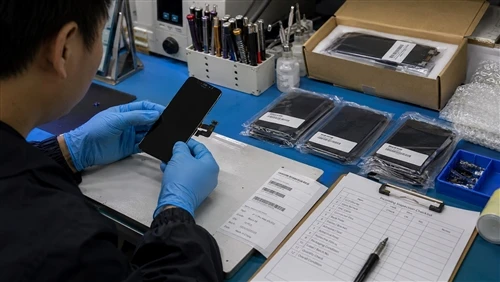
Step 3: Confirm the Defect Under Controlled Conditions
One test on one device proves little. Retest on a known-good device, or a known-good screen on the same device, using consistent connections and conditions, more than once. A symptom that disappears on a second test points toward handling or connection issues rather than a panel fault - that result is useful information too, not a dead end.
Step 4: Inspect for Physical or Handling Damage
Check for a cracked panel, a creased or kinked flex cable, connector damage, pressure marks, frame stress, or visible deformation before assuming a factory origin. These are frequently mistaken for manufacturing defects when they actually happened after the screen left the box, and several overlap directly with the patterns broken down under common iPhone LCD defects and their root causes.
Step 5: Determine Whether the Problem Is Isolated or Repeated
Compare every affected unit by model, batch, order, symptom, and test result. Five units from the same batch showing the same intermittent fault is a different situation than one unit with a symptom nobody else is reporting.
Step 6: Document the Evidence
Photograph the defect, video anything intermittent, and log the test conditions, quantities, and batch reference alongside them. Step 7 depends entirely on what gets recorded here.
Step 7: Submit a Clear Defect Report and Request a Resolution
This step is not "ask for a refund." The evidence and the supplier's existing terms decide the outcome - replacement units, a credit, a refund, further testing, return of the disputed units, a batch-level investigation, corrective action, or closer monitoring of the next shipment. None of these is the automatic answer.

Isolated Defect or Batch-Level Concern?
A single defective unit says very little about a supplier's overall quality on its own. What starts to matter is whether the same symptom shows up across several units, whether those units share a batch or order, and whether the pattern holds under repeat testing. There's no universal percentage that defines a "bad batch" - a threshold, if a supplier uses one at all, belongs in the agreed quality terms, not in a rule of thumb.
| Signal | Isolated Defect | Batch-Level Concern |
|---|---|---|
| Units affected | One or a small handful in the shipment | A noticeably higher share within one batch or order |
| Symptom spread | Different symptoms across the affected units | The same symptom repeats across units |
| Batch concentration | Affected units come from different batches or orders | Affected units cluster in the same batch or order |
| Test consistency | Fails to reproduce, or only reproduces on one setup | Reproduces consistently on a known-good setup |
| Next step | Investigate each unit individually | Expand the sample and flag the batch to the supplier |
Neither column is a verdict by itself - a shipment showing a mix of both is a reason to expand the sample, not to close the case after two or three units.
A Practical Defect Classification Framework
| Situation | What to Check | What It May Indicate | Recommended Action |
|---|---|---|---|
| One unit fails after installation | Physical condition, installation history, independent retest | Installation, handling, device-side issue, or an isolated defect | Investigate before classifying |
| Several units show the same symptom | Model, batch, test conditions | Possible batch-level issue | Expand testing and document the pattern |
| Physical damage is visible | Flex cable, connector, panel, frame | Handling or installation damage | Record evidence and review responsibility |
| Symptom reproduces on a known-good setup | Repeated controlled tests | Stronger evidence of a screen-related fault | Document and submit for supplier review |
| Symptom occurs only on one device | Known-good screen tested on the same device | Possible device-side issue | Test the device before filing a screen claim |
| Evidence is conflicting | Repeat test, comparison unit, installation history | Inconclusive | Escalate for further investigation |
A single row in this table rarely closes a case on its own. Most real disputes involve more than one row applying at once, which is exactly why a case shouldn't get classified before the pattern across the batch is understood - a distinction covered in more depth in installation damage vs manufacturing defect.

Symptom Is Not the Same as Root Cause
The same visible symptom can come from several different causes, which is why a symptom alone should never be treated as proof of who's responsible.
| Symptom | Possible Root Causes |
|---|---|
| No display | Connector issue, flex cable damage, panel failure, device-side issue |
| Touch failure | Touch layer issue, connector problem, installation pressure, device-side issue |
| Display line | Panel damage, flex stress, physical pressure |
| Flickering | Connection issue, display component issue, device or test condition |
| Intermittent touch | Touch-related issue, connection instability, installation stress |
Treat the symptom as evidence to investigate, not as proof of fault. A display line could be a panel defect from the factory, or it could be a flex cable that took pressure during a tight-frame installation - the symptom looks identical either way, and only the inspection and test history tell the two apart.
A Defective Screen Report Checklist
A usable report should include:
- Buyer or company reference
- Supplier or order number
- Purchase date and shipment date
- iPhone model
- Screen type or grade
- Batch information
- Total quantity received
- Number of affected units, broken down by model
- Defect symptom and first occurrence
- Test conditions and test device used
- Known-good comparison result
- Physical damage observed, if any
- Installation history
- Photos and video available
- Serial or identification information, if applicable
- Preliminary classification
- Requested supplier action
- Additional evidence still needed
Every field on this list maps to a question the supplier will ask anyway. Filling it in before the first email saves several rounds of back-and-forth.

What Evidence to Send the Supplier?
Depending on the case, useful evidence includes:
- Clear photos of the affected area
- Short video for anything intermittent
- Close-ups of the flex cable and connector
- Photos of any physical damage
- The test device used and the known-good comparison result
- The affected quantity and batch or order reference
- Installation history, plus defect frequency by model if more than one model is involved
Evidence that lets someone outside the buying team reach the same conclusion - without taking the buyer's word for it - is the standard worth aiming for. Not every supplier requires the exact same list, so treat this as a starting point rather than a fixed requirement.
How to Communicate the Claim?
A defect report reads more clearly when it follows a consistent order: claim reference, order information, affected quantity, defect description, test evidence, photos or video, batch pattern, and the requested review or resolution. Framing matters as much as content. "The whole batch is defective" is an opinion a supplier has no way to act on. "18 units from batch B-2291 show the same intermittent touch issue under the same test conditions" is something a QC team can actually check against their own records.
Warranty and Resolution: What to Confirm Before the Next Bulk Order?
Before placing a volume order, confirm what qualifies as a defect, what's excluded, whether installation or transport damage is covered, what evidence is required to open a claim, how a claim gets submitted, whether there's a filing window, how disputed cases get reviewed, what replacement, credit, or refund actually looks like in practice, and how a recurring batch problem gets handled after a supplier has already made a correction. Terms vary enough between suppliers that assuming rather than confirming what a B2B LCD warranty should cover is usually where disputes start.
Turning Defect Reports into Supplier Quality Data
Handling one defective batch and evaluating a supplier's overall quality are different exercises. A single well-documented report solves today's problem. Tracked across several orders, the same information becomes something closer to a supplier scorecard:
- Defect rate by model and by batch
- Which symptom types keep recurring
- How long the supplier takes to respond
- How consistent their resolutions are
- Whether a defect actually stays fixed after a supplier says it's corrected
Buyers who only manage individual failures tend to re-litigate the same argument every time something goes wrong. Buyers who track the pattern across orders walk into the next negotiation with something more useful than frustration - a record.
Reducing the Risk Before the Next Bulk Order
None of the following eliminates defects entirely, but each one reduces how much guesswork is involved when something does go wrong:
- Test a representative sample before committing to full volume
- Agree on written quality requirements up front
- Run incoming inspection on every shipment, not just occasional ones
- Request pre-shipment or batch testing from the supplier
- Keep consistent documentation across orders
- Account for packaging and transport conditions
- Confirm warranty terms in writing before the order ships
- Start with a trial order before scaling up with a new supplier
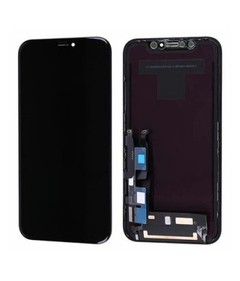
Failure patterns don't automatically carry over between product lines. An iPhone XR replacement LCD screen can behave differently under the same test conditions than a newer model, which is part of why sample testing needs to be repeated per model rather than assumed to carry over.
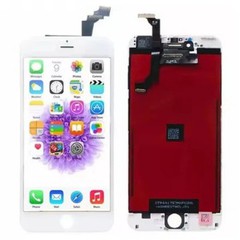
The same logic works in reverse. A defect pattern confirmed on an iPhone 15Pro replacement LCD screen says something about that specific product line - it isn't evidence about every screen the same supplier ships.
Frequently Asked Questions
What should I do if I find defective iPhone LCD screens in a bulk order?
Stop installing units from the affected batch, confirm the defect under controlled test conditions, check for physical damage, and document the model, batch, quantity, and symptom before contacting the supplier.
How should a buyer document defective screens for a warranty claim?
Record photos, video for intermittent symptoms, test conditions, the test device used, the affected quantity, and the batch or order reference. The goal is evidence another person can review and reach the same conclusion from.
How can I tell whether a defective screen is a manufacturing defect or installation damage?
Check the flex cable, connector, and frame area for physical stress, retest the unit on a known-good device, and compare against other units from the same batch. A symptom alone doesn't answer this - the physical inspection and repeat testing do.
How many defective screens indicate a possible batch-quality problem?
There's no universal number. What matters is whether the same symptom concentrates in one batch or order rather than spreading evenly, and whether it reappears in a later shipment. A specific threshold should come from the agreed terms with the supplier, not an assumption.
What evidence should I send an LCD supplier?
Photos, video where relevant, test conditions and device used, known-good comparison results, affected quantity, and batch reference. More specific requirements vary by supplier.
What should a B2B LCD warranty cover?
At minimum, it should define what counts as a defect, what's excluded, whether installation or transport damage is covered, the required evidence, and the claim submission process - all confirmed before, not after, a bulk order ships.
Should defective screens be returned to the supplier?
Sometimes, but not automatically. Whether units need to be returned, held for further testing, or simply documented depends on the supplier's process and the resolution being requested.
What to Send Before Contacting Your Supplier?
If defective screens have shown up in a recent bulk order, the fastest way to build a claim that holds up is to work backward from what the terms actually require, rather than deciding on an outcome first. Put together the affected models, the quantities involved, your test results, and the quality requirements you want confirmed for future orders before reaching out to your supplier.
Then request our warranty terms and batch quality-control information and check that evidence against it. That comparison - not a guess at what seems fair - is what actually determines whether the case supports a replacement, a credit, or further investigation.