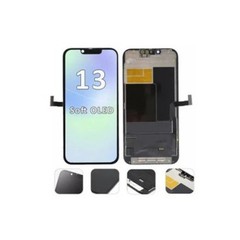
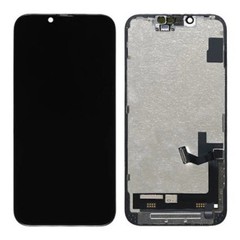
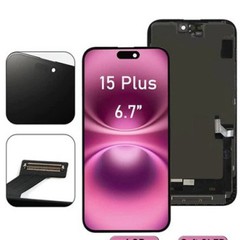
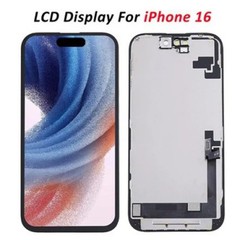

If you've ever searched "which iPhone screen is best," you've probably ended up more confused than when you started. Repair shop forums argue about OEM versus aftermarket. Wholesale buyers debate MOQs and batch consistency. Everyday users just want to know why one quote is $90 and another is $250 for what looks like the same repair.
Here's the thing: "which screen is best" is the wrong question. The right question is which screen is right for your situation - your device, your budget, and what you're actually using it for. A repair shop doing high-volume, budget-conscious swaps has different priorities than a wholesale distributor building a long-term supplier relationship, and both have different priorities than someone who just wants their personal iPhone to look and feel exactly like it did before it cracked.
This guide breaks down everything you need to know about iPhone screens - the technology behind them, the quality tiers available in the replacement market, how to judge whether a screen is actually good, what it costs, and how to find a supplier you can trust. Whether you're a consumer trying to make sense of a repair quote, a repair technician stocking your bench, or a distributor sourcing at scale, you'll leave this guide with a framework for choosing the right screen - not just the most expensive one, and not just the cheapest one.
The confusion in this space isn't accidental. Apple's own marketing language (Retina, Super Retina, Liquid Retina) doesn't map cleanly onto the technical terms used in the parts and repair industry (LCD, OLED, Incell, soft OLED, hard OLED). Add in a second axis - OEM versus aftermarket versus refurbished - and a third axis of sourcing decisions (buying one screen versus buying a thousand), and it's easy to see why so many buyers end up either overpaying out of caution or under-buying and dealing with returns and complaints later.
This guide is organized to walk through that complexity in a logical order: first the underlying display technologies (OLED vs LCD, and the sub-variants within each), then the quality and sourcing tiers (OEM, aftermarket, refurbished), then the practical decisions that actually drive most purchases - quality verification, cost, DIY vs professional installation, and supplier selection for anyone buying at volume. By the end, you should be able to look at any screen replacement quote or supplier catalog and immediately understand what you're actually being offered.

At a Glance
If you're short on time, here are the key takeaways from this guide:
- OLED and LCD serve different needs - OLED delivers superior contrast and color, while LCD offers a more affordable and durable option.
- Not all replacement screens are created equal. Understanding Soft OLED, Hard OLED, Incell LCD, OEM, refurbished, and aftermarket options is essential before buying.
- Repair shops and wholesale buyers should evaluate suppliers beyond price, focusing on quality consistency, warranty, and production capacity.
- Choosing the right screen depends on your use case, whether you're repairing your own phone, running a repair business, or purchasing in bulk.
- Reliable manufacturers provide transparent quality control, stable supply, and after-sales support, reducing long-term costs and return rates.
What Is an iPhone Screen? Understanding the Basics?
Before comparing screen types, it helps to understand what you're actually buying when you buy "an iPhone screen." It's not a single piece of glass - it's a multi-layer assembly, and the quality of every layer affects the final result.

Display Assembly: What's Actually Inside an iPhone Screen
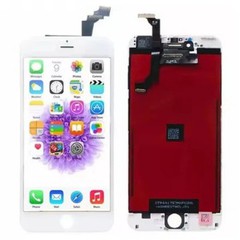
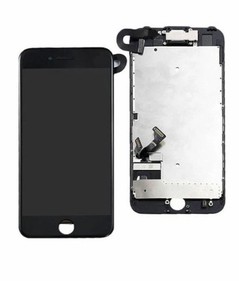
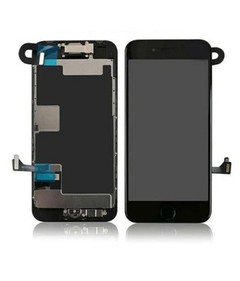
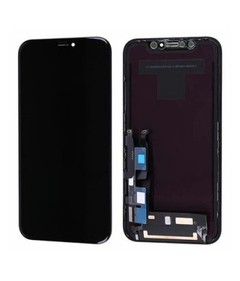
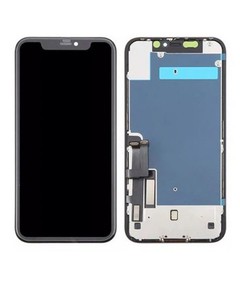
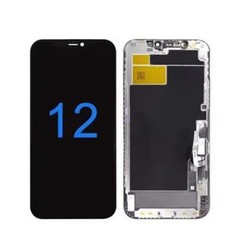
A modern iPhone screen replacement is usually sold as a complete "display assembly," which typically includes several bonded layers working together:
- The cover glass - the outermost layer you touch, often reinforced with Apple's Ceramic Shield or an equivalent aftermarket coating for scratch and impact resistance.
- The digitizer - the touch-sensing layer that translates your finger's position into input.
- The display panel itself - either an LCD or OLED panel, which is where the real technology differences show up.
- The backplate and flex cables - which connect the display to the logic board and carry data for brightness, touch, and (on OLED models) individual pixel control.
These layers are bonded together during manufacturing, which is why a "screen replacement" almost always means replacing the entire assembly, not just the glass. It's also why the quality of the bonding process - not just the panel itself - has a huge effect on how a replacement screen looks and performs over time.
This matters more than it might seem. Two suppliers can use the exact same panel manufacturer but end up with noticeably different final products, because the lamination process (how tightly and evenly the cover glass bonds to the touch layer and display panel) affects clarity, touch precision, and even the perceived color depth. This is one reason a "cheap OLED screen" and an "expensive OLED screen" from different suppliers can look meaningfully different side by side, even though both are technically OLED. It's also why sample testing - covered later in this guide - is such an important step before committing to a bulk order: a spec sheet doesn't capture assembly quality, but a physical unit in your hands does.
On newer iPhones, the display assembly has also become more tightly integrated with other components - ambient light sensors, proximity sensors, and on Face ID-equipped models, the TrueDepth camera housing sits directly above the display. This tighter integration is part of why screen repairs on recent Pro-series models require more precision than repairs on older, simpler assemblies, a theme that comes up again later in the sections on Face ID and DIY versus professional repair.
Key Terms You'll See When Shopping for a Screen
Apple's marketing names and the technical terms used by parts suppliers don't always match up, which causes a lot of the confusion in this space. Here are the terms worth knowing before you go further:
- Retina / Retina HD - Apple's branding for LCD displays with high pixel density.
- Liquid Retina - Apple's branding for its more advanced LCD panels (used in models like the iPhone 11 and XR).
- Super Retina / Super Retina XDR - Apple's branding for its OLED panels.
- ProMotion - Apple's adaptive refresh rate technology (up to 120Hz), found on Pro-tier OLED models.
- True Tone - automatic white balance adjustment based on ambient lighting, which requires calibration data tied to the original screen.
Understanding this vocabulary matters because when a supplier or repair shop says "Retina" or "Super Retina," they're really telling you whether the underlying technology is LCD or OLED - which is the first major fork in the decision tree.
iPhone Screen Types Explained: OLED vs LCD
OLED vs LCD at a Glance
| Feature | OLED | LCD |
|---|---|---|
| Display Quality | Excellent | Good |
| Contrast | Excellent | Moderate |
| Black Levels | True Black | Dark Gray |
| Brightness | Excellent | Excellent |
| Power Consumption | Lower with Dark Mode | Stable |
| Burn-in Risk | Possible | Very Low |
| Cost | Higher | Lower |
| Best For | Premium Devices | Budget Repairs |
This is the single most important technical distinction in the entire iPhone screen category, and it's the foundation for almost every other decision in this guide.


How LCD Screens Work?
LCD (Liquid Crystal Display) panels rely on a constant backlight positioned behind a layer of liquid crystals. The crystals twist and untwist to let varying amounts of light through, which is how the panel produces an image. Because the backlight is always on, even the "black" areas of the screen are never fully dark - they appear as a deep gray rather than true black.
LCD technology has been refined over many product generations, and modern variants like IPS LCD and In-cell LCD (more on that below) offer solid color accuracy and consistent brightness. LCD panels are also generally more resistant to a phenomenon called burn-in, where a static image can permanently mark the display over time.
One underappreciated advantage of LCD is brightness stability in bright, sunny conditions. Because the backlight illuminates the entire panel uniformly, LCD screens tend to maintain consistent visibility outdoors without the localized dimming that can sometimes affect small areas of an OLED panel under extreme, sustained brightness. For users who spend a lot of time outdoors - construction, delivery, warehouse work - this is a genuine (if often overlooked) practical benefit of sticking with a well-made LCD replacement rather than assuming OLED is automatically the upgrade in every scenario.
How OLED Screens Work?
OLED (Organic Light-Emitting Diode) panels take a fundamentally different approach. Instead of a single backlight, each individual pixel emits its own light. When a pixel needs to display black, it simply turns off completely - producing true black and a much higher contrast ratio than any backlit LCD can achieve.
Because there's no constant backlight running behind the whole panel, OLED screens are also more power-efficient when displaying darker content (which is part of why dark mode saves battery on OLED iPhones but not on LCD ones).
OLED's other major advantage is response time. Because each pixel can switch states almost instantly without waiting for liquid crystals to physically reorient, OLED panels handle fast motion - video, gaming, rapid scrolling - with less blur than LCD. Combined with ProMotion's variable refresh rate on Pro-series models, this is part of why high-end iPhones feel so fluid in daily use. The trade-off, as noted above, is a modest risk of burn-in with long-term static content, though Apple's software includes mitigations (like subtle pixel shifting) that reduce this risk considerably compared to early-generation OLED devices.
OLED vs LCD: Contrast, Color, Battery Life, and Burn-in Risk
| Factor | LCD | OLED |
|---|---|---|
| Black levels | Dark gray, not true black | True black (pixels turn off) |
| Contrast ratio | Lower | Significantly higher |
| Battery efficiency (dark content) | Constant backlight draw | More efficient - dark pixels use no power |
| Burn-in risk | Very low | Possible with static images over long periods |
| Typical cost to replace | Lower | Higher |
| Viewing angles | Good | Excellent |
Neither technology is objectively "better" in every dimension - LCD trades some visual punch for durability and lower cost, while OLED trades a bit of long-term burn-in risk for noticeably better contrast and color depth. This is the first place where our core framework applies: the right choice depends on the device and the use case, not a universal winner.
Which iPhone Models Use LCD vs OLED?
Apple began transitioning to OLED with the iPhone X in 2017, and the lineup has gradually shifted toward all-OLED as older LCD models have been phased out.
Typically LCD:
- iPhone 6, 6s, 7, 8 (and Plus variants)
- iPhone XR
- iPhone 11 (standard, non-Pro)
- iPhone SE (2nd and 3rd generation)
Typically OLED:
- iPhone X, XS, XS Max
- iPhone 11 Pro, 11 Pro Max
- iPhone 12, 12 Pro, 12 Pro Max, 12 mini
- iPhone 13 series and later (including all subsequent standard and Pro models)
If you're not sure which technology your specific model uses, checking the exact model number against a current parts catalog is the safest approach - later SE models and entry-level models occasionally break the pattern.
Soft OLED vs Hard OLED: Which Should You Choose?
Once you know a device uses OLED, there's a second decision layer specific to the replacement parts market: soft OLED versus hard OLED.
What Is Soft OLED?
Soft OLED panels are built on a flexible plastic substrate - the same underlying approach Apple uses in its original OLED displays. This flexible construction allows for a thinner overall assembly and produces visual quality that closely matches the original screen, including deep blacks and accurate color reproduction. Soft OLED is generally considered the closest aftermarket match to a genuine Apple OLED panel.
What Is Hard OLED?
Hard OLED panels use a more rigid substrate. They're generally less expensive to manufacture, which makes them a common choice in the mid-range aftermarket segment. Hard OLED can still achieve strong black levels compared to LCD, but color uniformity and overall finish tend to fall slightly short of soft OLED, and the assembly is typically a bit thicker.
Price, Durability, and Visual Quality Comparison
| Factor | Soft OLED | Hard OLED |
|---|---|---|
| Visual match to original | Very close | Good, but noticeably less refined |
| Thickness | Thinner, more flexible | Thicker, more rigid |
| Price | Higher | Mid-range |
| Color uniformity | Excellent | Variable by manufacturer |
| Best for | Pro-tier devices, resale-focused repairs | Budget-conscious repairs on OLED models |
Best Use Cases for Each
- Choose soft OLED when the customer wants their Pro-series device to look and feel like new, especially if resale value matters or the device supports ProMotion and other premium features worth preserving.
- Choose hard OLED for cost-sensitive repairs where the customer wants OLED-level contrast without paying premium prices - a reasonable middle ground between LCD downgrades and full soft OLED replacements.

Incell LCD Screens: An Underrated Budget Option
For devices that originally shipped with LCD panels, Incell technology deserves its own spotlight - it's one of the most commonly stocked replacement options in professional repair shops.
What Makes Incell Different from Traditional LCD?
Traditional LCD assemblies place the touch-sensing digitizer as a separate layer on top of the display panel. Incell LCD integrates the touch sensor directly into the LCD cell itself, resulting in a thinner assembly with a more responsive feel and a lower manufacturing cost than fully separated designs.
When Incell Is the Right Choice (and When It Isn't)?
Incell LCD makes sense as a like-for-like replacement on devices that originally used LCD technology - models like the iPhone 11, XR, and SE. On these devices, an Incell replacement typically delivers a very close match to the original display experience at a lower cost.
Where it becomes a genuine downgrade is when it's used as a substitute on a device that originally shipped with OLED - for example, using an Incell LCD replacement on an iPhone X or later. In that scenario, the customer loses the deep blacks and higher contrast of the original OLED panel, along with true always-on-display style efficiency. It's a reasonable budget fallback, but it should be presented as a downgrade, not a like-for-like swap, so expectations are set correctly.
OEM vs Aftermarket iPhone Screens: A Complete Comparison
This is arguably the highest-stakes decision in the entire buying process, because it affects price, quality, and - depending on the model - even how the device reports itself in Settings.

What "OEM" Really Means (and Why It's Not Always Available)?
OEM (Original Equipment Manufacturer) refers to genuine Apple-made display assemblies - the same panels installed in new devices at the factory. True new OEM stock is tightly controlled by Apple and its authorized supply chain, which is why most of what's marketed as "OEM" in the independent repair and wholesale market is actually one of the categories below, each with a different relationship to genuine Apple manufacturing.
This is where a lot of buyers get misled, sometimes unintentionally. In the wholesale and repair supply market, "OEM" is often used loosely to describe screens that are OEM-grade, OEM-pulled, or OEM-refurbished, rather than brand-new factory stock. None of these are necessarily bad - a well-graded OEM-pulled screen can be excellent - but the terminology gap means buyers need to ask specific follow-up questions rather than taking the label at face value: Is this new or pulled? What's the source of the donor units? What's the grading and testing process? A supplier who can answer these clearly and consistently is far more trustworthy than one who simply repeats "100% OEM" without elaboration.
Aftermarket Quality Tiers Explained
The aftermarket market isn't a single tier - it's a spectrum, and understanding where a given screen sits on that spectrum is the key to avoiding both overpaying and under-delivering:
- Budget aftermarket - the lowest cost tier, typically using base-grade Incell LCD panels regardless of the device's original technology. Acceptable for cost-sensitive repairs on older, lower-value devices.
- Standard aftermarket - mid-tier hard OLED or higher-grade Incell LCD, offering a reasonable balance of price and performance for everyday repairs.
- Premium aftermarket - soft OLED and high-copy panels designed to closely replicate OEM color accuracy, brightness, and touch response, at a price point still below full OEM.
Refurbished / Pulled Screens: Are They Worth It?
A refurbished (or "pulled") screen is a genuine Apple panel that has been removed from another device - often one with a cracked back glass or other non-display damage - and restored, sometimes with only the outer glass replaced while the original OLED or LCD panel and digitizer remain intact. Because the core panel is genuine, quality can be very close to new OEM, generally at a meaningful discount, though condition can vary based on how well the donor unit and refurbishing process were handled. This makes verified refurbished screens a strong middle path for buyers who want authentic quality without full OEM pricing - provided the supplier has a reliable grading and testing process.
Price vs Performance: A Side-by-Side Table
| Tier | Relative Price | Typical Quality | Best For |
|---|---|---|---|
| Budget aftermarket | $ | Functional, visible quality gaps | Older/low-value devices, quick fixes |
| Standard aftermarket | $$ | Solid daily-use performance | Most everyday repairs |
| Premium aftermarket (Soft OLED) | $$$ | Near-OEM visual quality | Pro-series devices, resale-conscious repairs |
| Refurbished/pulled OEM | $$$ | Genuine Apple panel, variable cosmetic grade | Buyers wanting authenticity at a discount |
| New OEM | $$$$ | Reference quality | Warranty-preserving repairs, flagship devices |

How to Judge iPhone Screen Quality Before You Buy?
Whether you're buying a single replacement or evaluating a new supplier's sample batch, quality assessment comes down to a handful of concrete checks.
Visual Quality Checklist
- Color accuracy - display a white background and check for yellow or blue tinting compared to a known-good reference device.
- Uniformity - look for patchiness or uneven brightness across the panel, especially near the edges.
- Brightness - compare peak brightness against manufacturer specs; a noticeably dim panel usually indicates a lower-tier component.
- Dead pixels or artifacts - check for stuck pixels, especially on solid color test screens.
Touch Response and Haptic Feedback Testing
Run a full-screen touch test app to check for dead zones, ghost touches, or lag, particularly near the edges of the display where flex cable connections can introduce inconsistencies. On models with 3D Touch or Haptic Touch, confirm that pressure-sensitive gestures and haptic feedback feel accurate rather than delayed or absent.
Checking for Face ID and True Tone Compatibility
Before finalizing any batch or installation, confirm that Face ID enrolls and unlocks reliably, and that True Tone toggles correctly in Settings without a "non-genuine display" warning appearing where it shouldn't (more detail on this in the next section).
Warranty and Batch Consistency Red Flags
For anyone buying in volume - repair shops and distributors especially - the biggest quality risk isn't a single bad screen, it's inconsistency between batches. Watch for:
- Suppliers unwilling to provide a warranty of at least 90 days
- No batch testing documentation or QC reports
- Reluctance to send sample units before a bulk order
- Wide variation in color temperature or brightness between units in the same shipment
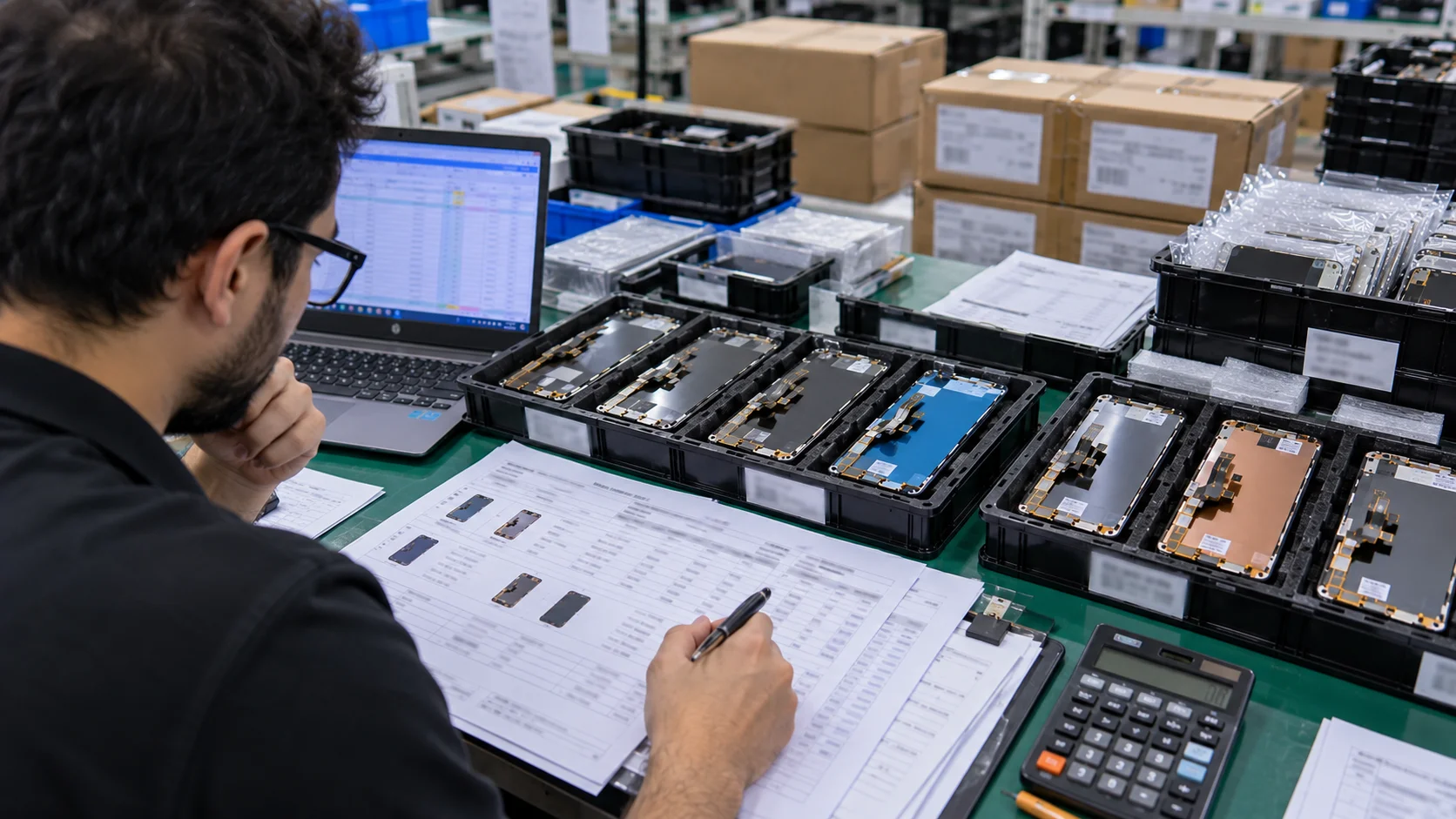
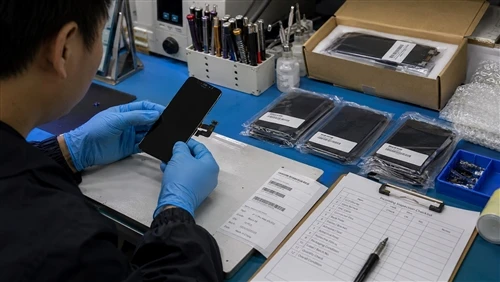
It's worth building a simple, repeatable inspection routine rather than relying on a one-time gut check. Many experienced repair shops keep a known-good reference device on the bench specifically for this purpose - comparing every new panel against it under the same lighting conditions makes subtle color or brightness drift much easier to catch than trying to judge a screen "in isolation." For distributors receiving larger shipments, a simple statistical sampling approach - testing a percentage of every batch rather than every single unit - is usually enough to catch systemic quality issues before they reach the end customer, without adding excessive labor to receiving processes.

Face ID, True Tone & Part Pairing: What Screen Replacement Can Affect?
This is one of the most common sources of post-repair frustration, and it deserves a clear, non-alarmist explanation.
Why Face ID Sometimes Stops Working After a Screen Swap?
Face ID relies on a sensor module (the TrueDepth camera system) that sits above the display, not on the display panel itself. In most cases, a screen replacement doesn't touch this hardware directly - but the process of opening the device and disconnecting cables near the sensor housing can occasionally disrupt the connection if not handled carefully. On newer models, software-level pairing between components can also play a role, which is where "part pairing" becomes relevant.
True Tone Calibration and the Role of Programming Tools
True Tone depends on calibration data that's tied to the original display. On many recent models, replacing the screen without transferring or recalibrating that data using a specialized programming tool can result in True Tone being unavailable, even though the rest of the display functions normally. This is a routine part of professional repair workflows on newer devices, not a sign of a defective part.
Apple's "Unknown Part" Warning: What It Means and What It Doesn't
Since introducing part pairing on certain models, Apple's Settings app may display a message indicating that a repaired component couldn't be verified as genuine. This notification is largely informational - it doesn't disable core functionality - but it can affect how a device is valued in trade-in or resale scenarios, since automated valuation tools sometimes flag non-OEM service history. Buyers who plan to trade in a device within the following year should factor this into their decision between OEM and aftermarket parts.
Common iPhone Screen Problems and How to Diagnose Them
Not every display issue means the screen needs a full replacement. Correctly diagnosing the problem saves both money and unnecessary repairs.
Cracked Glass vs Damaged Digitizer vs Panel Failure
- Cracked glass only - the display still functions normally under the cracks; touch response is intact. In rare cases, this alone can be addressed without a full assembly swap, though it's uncommon on modern fused designs.
- Digitizer damage - the glass may look fine, but touch input is unresponsive or erratic in certain zones. This typically requires a full assembly replacement, since the digitizer is bonded to the panel.
- Panel failure - visual artifacts (lines, discoloration, flickering) with no physical damage, often indicating a failing display driver or internal connection issue.
Green Lines, Flickering, and Dead Pixels: What They Mean
Green (or colored) lines usually point to a damaged display flex cable or a loose connector - common after a drop, even without visible cracking. Flickering can indicate a failing backlight (LCD) or a driver IC issue (OLED). Dead pixels are usually a manufacturing defect in the panel itself, most often seen in lower-tier aftermarket screens.
When to Repair vs When to Replace the Device?
As a general rule of thumb: if a screen repair approaches a significant fraction of the device's resale value - which tends to happen with older, lower-value models - it's worth weighing a full device replacement or trade-in against the cost of repair, especially if other components are also showing age.
There's a second consideration beyond pure cost: battery health and overall device longevity. A screen repair on a device with a healthy battery and no other issues is usually a good investment, since the display is often the only thing standing between a fully functional phone and the landfill. But a screen repair on a device that's also showing battery degradation, a failing camera, or other age-related symptoms may be better handled as part of a broader repair-or-replace conversation with the customer, rather than treating the screen in isolation. Repair shops that walk customers through this bigger picture - rather than just quoting the screen repair - tend to build more long-term trust, even when the immediate sale is smaller.
iPhone Screen Replacement Cost Guide (2026)
Cost is often the first question anyone asks, but the honest answer is: it depends heavily on which of three channels you use, and which screen grade sits behind the quote.
Apple Official vs Third-Party vs DIY: Price Comparison
- Apple / AppleCare+ - with AppleCare+, screen repairs are typically a low flat fee per incident; without coverage, official out-of-warranty pricing runs considerably higher, especially on Pro-tier models with more advanced displays.
- Third-party repair shops - pricing varies widely depending on the screen grade used, generally landing well below Apple's out-of-warranty rate for comparable quality.
- DIY kits - the lowest upfront cost, but requiring your own tools, technical comfort, and - on newer models - awareness of calibration requirements for full feature parity.
Why the Same Model Can Cost 2–3x Differently?
This is the detail most cost guides skip: two shops quoting wildly different prices for the same model aren't necessarily one "ripping you off" - they're often quoting different screen grades. A budget Incell LCD replacement can cost a repair shop a fraction of what a soft OLED replacement costs for the exact same device, and that cost difference flows directly into the customer-facing price. Understanding this is the single most useful thing a buyer can know before comparing quotes.
For consumers, the practical takeaway is simple: when comparing quotes from different repair shops, always ask which screen grade is included in the price, not just the total cost. A shop quoting a noticeably lower price than everyone else isn't necessarily doing something wrong - but they may be defaulting to a budget-tier screen without clearly disclosing it. Asking the direct question ("Is this Incell, hard OLED, or soft OLED?") puts you in a much stronger position to compare like for like.
For repair shops and distributors, this same dynamic is a pricing and communication opportunity rather than just a cost variable. Being transparent with customers about grade options - offering a genuine budget, standard, and premium tier rather than a single flat price - tends to build more trust than a single opaque number, and it lets price-sensitive and quality-sensitive customers both find an option that fits their needs within the same shop.
Cost by Model: Quick Reference Table
| Model Tier | Apple Out-of-Warranty (approx.) | AppleCare+ Deductible | Third-Party (Quality Varies) |
|---|---|---|---|
| Older LCD models (SE, 8, XR) | Lower end of the range | Lowest flat fee | Budget to mid-range |
| Mid-tier OLED (X–13 standard) | Mid-range | Flat fee | Mid-range, wider spread |
| Pro / Pro Max (14–16+ series) | Highest end of the range | Flat fee (same as other tiers) | Wide range depending on screen grade |
(Exact prices shift over time and by region - treat this table as a relative comparison rather than a fixed price list, and confirm current pricing with your supplier or service provider.)
DIY vs Professional Screen Replacement: Which Is Right for You?
For some buyers, the real decision isn't which screen grade to use - it's whether to attempt the repair at all.
What DIY Screen Replacement Actually Involves?
A typical DIY kit includes the display assembly, replacement adhesive, and the specialized tools needed to open the device - pentalobe screwdrivers, suction tools, opening picks, and often a heat source to soften factory adhesive. Well-documented models (particularly iPhone 11 through 15) have extensive step-by-step guides available, which makes DIY more approachable than it used to be.
Risks: Face ID, Water Resistance, and Warranty Voiding
DIY repair carries real risks: damaging a delicate flex cable, compromising the water-resistant seal if it isn't properly replaced, and - on newer models - losing True Tone functionality without access to a calibration tool. Any self-repair also ends remaining Apple warranty coverage on the device.
It's also worth being honest about the time investment. A first-time DIY repair - even on a well-documented model - commonly takes noticeably longer than a professional would need, simply because of unfamiliarity with the specific cable layout, adhesive removal technique, and reassembly order. That's not necessarily a reason to avoid DIY, but it's worth factoring the value of your own time into the "savings" calculation, especially if a mistake requires ordering a second replacement part or, worse, professional repair of damage caused during the DIY attempt.
When Professional Replacement Is Worth the Extra Cost?
Professional replacement is generally the better choice for newer Pro-tier models with tightly integrated components, for anyone without prior electronics repair experience, and for anyone who needs the repair done quickly and reliably the first time. DIY makes the most sense for well-documented older models, cost-sensitive repairs, and buyers who are comfortable accepting some risk in exchange for savings.
How to Choose a Reliable Wholesale iPhone Screen Supplier?

 For repair shops and distributors, this is where the real business impact lives - a good supplier relationship affects margins, return rates, and customer trust for years.
MOQ, Sample Testing, and Batch Consistency
Minimum order quantities (MOQs) vary significantly between suppliers and screen grades. Before committing to a large order, request a small sample batch and test it against the quality checklist covered earlier in this guide. Reliable suppliers should be comfortable with this request - hesitation here is itself a warning sign. Once you've validated a sample, monitor consistency across subsequent bulk shipments, since batch-to-batch variation is one of the most commonly reported issues in this market.
Certifications and Quality Assurance Standards to Look For
Look for suppliers who can provide documentation of testing processes and, where applicable, recognized quality certifications. A supplier that can clearly explain their QC process - inspection stages, testing equipment, defect rates - is generally a safer long-term partner than one that simply asserts "high quality" without specifics.
Shipping, Lead Time, and Payment Terms
For repair shops that can't afford to run out of stock mid-repair, consistent lead times matter as much as unit price. Ask about:
- Average shipping time and any seasonal delays
- Whether packaging is designed to prevent in-transit damage to display panels
- Payment terms, including whether milestone-based payments or partial deposits are available for larger orders
Packaging deserves more attention than buyers typically give it. Display assemblies are fragile, and inadequate cushioning or stacking during transit is a common, preventable cause of "DOA" (dead-on-arrival) units in bulk shipments - damage that's easy to mistake for a quality problem with the screen itself rather than a shipping issue. Suppliers who invest in individual anti-static packaging, rigid outer cartons, and clear stacking limits on pallets tend to have measurably lower DOA rates, which is worth asking about directly rather than assuming all suppliers package to the same standard.

Red Flags: How to Avoid Unreliable Suppliers?
- Prices that seem dramatically lower than the rest of the market with no clear explanation
- No willingness to provide samples or documentation
- Vague or evasive answers about screen grade (soft OLED vs hard OLED vs Incell) - a trustworthy supplier will always be specific
- No clear warranty or return policy for defective units
Beyond these upfront checks, it's worth thinking about supplier evaluation as an ongoing relationship rather than a one-time vetting exercise. Even a good supplier can experience quality drift over time - a change in their own upstream manufacturing partner, a shift in production location, or simple inconsistency during periods of high demand. Building in a periodic re-testing routine (checking a sample from every few shipments against your original approved sample) protects against this kind of gradual drift, which is often harder to catch than an obviously bad first batch.
It's also worth diversifying rather than relying on a single supplier for 100% of volume, particularly for businesses where a supply interruption would directly affect revenue. Many established repair shops and distributors maintain a primary supplier for the bulk of their volume alongside one or two backup relationships - tested and approved in advance - specifically so that a quality issue, shipping delay, or stock shortage with one source doesn't halt operations entirely.
Looking for a supplier who can back all of this up with real batch testing and transparent grading? [Request a Wholesale Quote] to see current stock, MOQs, and sample options across LCD, Incell, Hard OLED, and Soft OLED tiers.

How to Choose the Right Screen for Your Situation?
Bringing everything back to the core idea of this guide: there's no single "best" iPhone screen - only the screen that fits your situation.
If You're a Consumer
If you're repairing your own device for daily use, match the replacement to your priorities: a premium soft OLED or OEM/refurbished screen if you want the device to look and feel unchanged (especially on a Pro model you plan to keep or trade in), or a solid standard aftermarket/Incell option if you're budget-conscious and plan to replace the device again in the next year or two.
If You're a Repair Shop
Stock a tiered inventory rather than a single grade - budget Incell for older, lower-value devices; standard aftermarket for everyday mid-tier repairs; and premium soft OLED for Pro-series customers who expect near-original quality. Being able to explain these tiers clearly to customers (rather than presenting a single price) builds trust and reduces post-repair complaints.
If You're a Wholesale Buyer / Distributor
Prioritize supplier relationship quality over the lowest unit price. A slightly higher cost per unit from a supplier with consistent batch quality, reliable lead times, and clear QC documentation will almost always outperform the cheapest available option once you factor in return rates and customer satisfaction.

Common Myths About iPhone Screens
Myth 1: OEM Is Always the Best Choice
Not necessarily. High-quality Soft OLED displays can deliver performance very close to OEM at a significantly lower cost.
Myth 2: OLED Is Always Better Than LCD
OLED offers superior image quality, but LCD remains the better value for many older iPhone models and budget-conscious repairs.
Myth 3: Cheap Screens Always Mean Poor Quality
Price alone doesn't determine quality.
Myth 4: All Aftermarket Screens Are the Same
Aftermarket displays range from entry-level Incell LCDs to premium Soft OLED panels.
Future Trends in iPhone Display Technology
- Wider adoption of LTPO OLED technology
- Continued improvements in Soft OLED manufacturing
- Better aftermarket color calibration
- AI-assisted quality inspection
- Possible adoption of MicroLED displays

Frequently Asked Questions
What's the difference between OLED and LCD iPhone screens?
OLED panels light each pixel individually, producing true blacks and higher contrast, while LCD panels use a constant backlight, resulting in slightly grayer blacks but generally lower cost and less burn-in risk.
Is Soft OLED better than Hard OLED?
Soft OLED generally offers a closer visual match to the original Apple display and a thinner profile, but it costs more than Hard OLED, which remains a solid mid-range option for OLED devices.
Does an aftermarket screen affect Face ID or True Tone?
It can, particularly on newer models where True Tone requires calibration data tied to the original screen. Professional shops typically use programming tools to transfer or recalibrate this data during replacement.
How can I tell if my iPhone screen is genuine OEM?
On iPhone 11 and later, check Settings > General > About > Parts and Service History, which will indicate whether the display is recognized as genuine. Visual and touch quality checks (outlined earlier in this guide) can also help identify lower-tier aftermarket parts.
How much does an iPhone screen replacement cost in 2026?
Costs vary widely by channel and screen grade - from a low flat AppleCare+ deductible, to a broader range for uncovered official repairs, to a wide spread for third-party repairs depending on whether a budget or premium screen is used.
Are refurbished iPhone screens good quality?
Yes, when properly graded - a refurbished screen typically retains the genuine original OLED or LCD panel, with only the outer glass replaced, making it a strong middle option between full OEM and aftermarket.
Is Incell LCD as good as OLED?
Not visually - Incell LCD can't match OLED's true blacks and contrast. But on devices that originally shipped with LCD, Incell is an appropriate like-for-like replacement, not a downgrade.
What is the MOQ for wholesale iPhone screens?
MOQs vary by supplier and screen grade; it's best to confirm directly with a supplier and, where possible, negotiate a smaller sample order before committing to a full MOQ.
Is DIY iPhone screen replacement worth it?
It depends on the model and your comfort level. Older, well-documented models are relatively approachable for DIY; newer Pro-tier models with tighter component integration and calibration requirements are generally better left to professionals.
How do I choose a reliable wholesale screen supplier?
Look for suppliers willing to provide samples, clear QC documentation, consistent batch quality, and transparent communication about screen grade - and treat reluctance on any of these points as a warning sign.

Conclusion
The iPhone screen market can look overwhelming from the outside - OLED, LCD, soft, hard, Incell, OEM, aftermarket, refurbished - but every one of these terms maps to a specific, understandable trade-off between cost, visual quality, and durability. The goal isn't to find the single "best" screen; it's to match the right technology and quality tier to your specific situation, whether that's a personal repair, a repair shop's daily bench work, or a distributor building a long-term supply chain.
If you're ready to source screens backed by real batch testing, transparent grading, and consistent supply, [request a wholesale quote] and our team can walk you through current stock across every tier covered in this guide.
Related Guides
- OLED vs LCD iPhone Screens: Complete Comparison
- Soft OLED vs Hard OLED: Which Is Better?
- Original vs Aftermarket iPhone Screens
- How to Replace an iPhone Screen
- How to Choose a Reliable iPhone Screen Supplier
- The Complete Wholesale Buying Guide
- iPhone Screen Quality Inspection Checklist