

Why is My iPhone Screen Flickering?
For wholesalers and repair shop owners, a flickering iPhone screen is more than a glitch; it is a direct threat to your RMA (Return Merchandise Authorization) rate. In the 2026 mobile aftermarket, flickering usually indicates a synchronization failure between the iPhone's logic board and the display's Integrated Circuit (IC). As iOS updates become more frequent and sophisticated, the "handshake" protocol between hardware and software has become stricter. If the third-party IC chip cannot process the GPU's timing signals at the required millisecond precision, the result is a persistent strobe effect, erratic blinking, or "ghost" touch commands that render the device unusable.
Common Causes of iPhone Screen Flickering

Understanding the "why" is the ultimate competitive advantage for importers. The root causes generally fall into three professional categories:
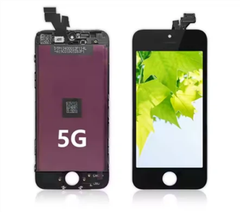
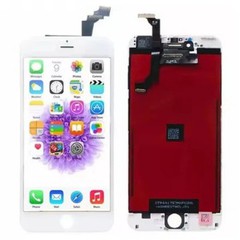
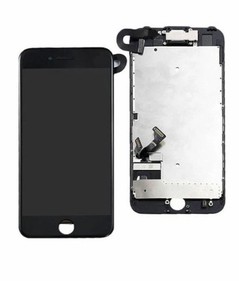
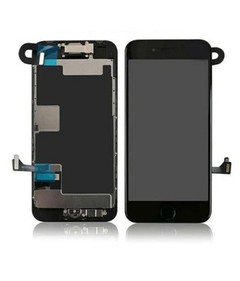
- Hardware Integrity & Flex Cable Fatigue: As the central nervous system of the display, the ribbon cable's quality is non-negotiable. Substandard manufacturers often utilize thinner copper traces or low-grade polyimide materials to cut costs. These components are prone to micro-tears during high-pressure installations or standard thermal expansion. Such fractures cause intermittent signal loss, which manifests as persistent vertical lines or rapid strobe effects.
- The IC Chip & Bonding Mismatch: Modern iOS versions utilize sophisticated GPU timing protocols. Budget-grade, non-original chips often lack the processing power to sync with these updates, triggering backlight instability. Furthermore, nearly 65% of flickering in aftermarket screens stems from poor-quality COGor COF bonding, where the physical connection between the chip and the panel fails under stress.
- High-density Incell and OLED panels are exceptionally sensitive to latent electrical charges. This is why sourcing high-quality iPhone LCD screens from factories with professional-grade EMI shielding is critical to preventing "phantom charges" that erode your professional reputation.
How to Fix iPhone Screen Flickering
Before committing to a full teardown, professional technicians should follow this rapid-response diagnostic protocol:
- Software Neutralization (The Hard Reset): Always begin by ruling out temporary memory leaks or driver conflicts that can occur after intensive app usage or background background indexing. Perform a Force Restart by quickly pressing Volume Up, then Volume Down, and holding the Side Button until the Apple logo appears. This clears the temporary cache and resets the power management IC.
- Hardware Connector Decontamination: If flickering persists, the device must be opened for a physical inspection. Use a high-magnification microscope to examine the FPC (Flexible Printed Circuit) connectors for oxidation or debris. Even a single microscopic dust particle can disrupt the high-speed data lanes. Use 99% Isopropyl Alcohol and an anti-static brush to clean the pins, ensuring a tactile, firm "click" upon reconnection to guarantee signal integrity.
- Advanced DFU Restore: For issues appearing immediately after an iOS update, a Device Firmware Update (DFU) is the final software-level solution. Unlike a standard recovery, a DFU restore completely reloads the device's firmware and code, which can recalibrate malfunctioning display drivers or "handshake" protocols between the logic board and the third-party IC chip.

When You Need an iPhone Screen Replacement
When the standardized "Professional Solution" protocols-such as a hard reset or connector cleaning-fail to resolve display instability, the issue has progressed from a minor glitch to a definitive hardware failure. For high-volume importers and repair centers, identifying these permanent defects early is critical to maintaining a streamlined RMA process and protecting profit margins. Total display replacement becomes mandatory under the following three technical conditions:
Substrate Fracture & Signal Distortion
The appearance of persistent vertical or horizontal lines is a clear indicator of a fractured LCD or OLED substrate. These microscopic cracks disrupt the delicate pixel-addressing matrix, making a software-level fix impossible.
PWM Controller Failure: Flickering that manifests exclusively at low brightness levels points to a malfunctioning Pulse Width Modulation (PWM)
PWM Controller Failure
Flickering that manifests exclusively at low brightness levels points to a malfunctioning Pulse Width Modulation (PWM) controller within the Integrated Circuit (IC). When this internal timing component fails, it cannot stabilize the voltage required for dimming, resulting in a rapid, nauseating "strobe" effect.
Structural Backlight Instability
Intermittent backlight jumping typically signifies a breach in the layered architecture of an Incell LCD or a failing ceramic capacitor on the flex cable. This hardware-level instability compromises the panel's electrical grounding, necessitating a complete unit swap to ensure long-term device reliability and customer satisfaction.
Incell LCD vs. OLED: Which is Better for Repair Shops?
Choosing the right technology is a balance of cost-efficiency and client satisfaction.
|
Feature |
Incell LCD (Premium Aftermarket) |
Flexible OLED (Hard/Soft) |
|
Flicker Risk |
Low (if IC is high-quality) |
Moderate (due to PWM sensitivity) |
|
Durability |
High (thicker structure) |
Lower (susceptible to "burn-in") |
|
Color Accuracy |
Standard (good for budget repairs) |
Superior (True blacks & high contrast) |
|
2026 Trend |
Best for iPhone 11 and older |
Mandatory for iPhone 12–16 series |
For repair shops, Incell LCDs remain the "workhorse" for budget-conscious clients due to their stability. However, for premium models, Flexible OLEDs are necessary to maintain the device's original profile and touch sensitivity.
How to Choose a Reliable iPhone Screen Supplier

For procurement managers and bulk importers, "flickering" is rarely a simple repair issue-it is a critical sourcing failure that directly impacts your bottom line. To maintain a zero-defect inventory and a high-authority brand reputation in 2026, you must verify that your supply chain adheres to three essential benchmarks:
- Advanced IC Sourcing & Handshake Compatibility: Ensure your supplier utilizes high-performance, updated Integrated Circuit chips. These components must support True Tone serialization and be fully compatible with the latest iOS builds. Using "unauthorized" or low-tier chips often triggers the "Non-Genuine Part" warning, which can lead to GPU timing mismatches and persistent flickering after system updates.
- ESD-Safe Manufacturing Environment: Prioritize factories that implement rigorous Electrostatic Discharge protocols. A professional facility must utilize ionized air blowers and anti-static workstations during the bonding process. This prevents latent "ghost touching" and voltage fluctuations that often appear weeks after the initial sale, reducing your long-term RMA rates.
- Technological Agility: As the market shifts toward LTPO and Tandem OLED, partner with a wholesale iPhone screen supplier that invests in high-refresh-rate capabilities to avoid "dead stock" of obsolete panels.
Summary for Importers and Wholesalers
iPhone screen flickering is usually a symptom of a deeper hardware compromise. By educating your clients on the difference between software glitches and hardware defects-and by supplying parts that utilize stable IC chips and high-grade flex cables-you position yourself as a leader in the global display market.
Looking to upgrade your inventory with flicker-free, high-performance iPhone displays?
Explore our Wholesale iPhone Screen Catalog →
Need technical support for a bulk order?
Contact our Engineering Team →


