

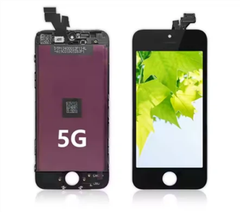
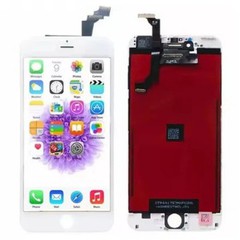
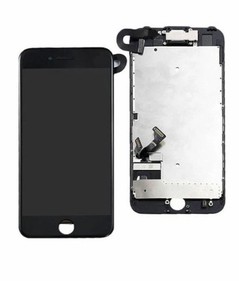
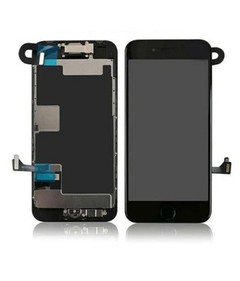
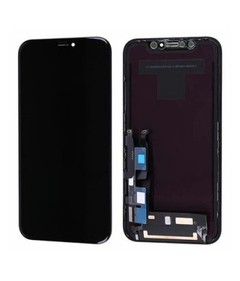
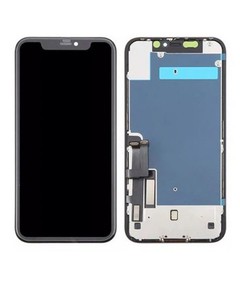
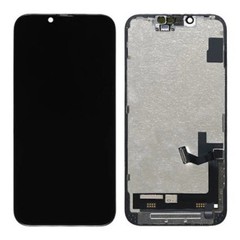

Hey there! If you're here, chances are your iPhone 8 LCD screen is turning black, and you're scratching your head trying to figure out why. Well, you've come to the right place. I'm an iPhone 8 LCD screen supplier, and I've seen this issue more times than I can count. So, let's dig into the possible reasons behind that pesky black screen and what you can do about it.
1. Physical Damage
One of the most common reasons your iPhone 8 LCD screen might turn black is physical damage. You know how it goes - a simple drop or a bump against a hard surface can cause internal components to get loose or damaged. The LCD cable, which connects the screen to the main board, is particularly vulnerable. If it gets disconnected or damaged, it can disrupt the signal between the screen and the phone's brain, resulting in a black screen.
Another possibility is that the LCD panel itself has been cracked or shattered. Even a small crack can cause the screen to malfunction and turn black. If you've recently dropped your phone or noticed any visible damage to the screen, this could be the culprit.
2. Software Glitches
Software issues can also cause your iPhone 8 LCD screen to turn black. Sometimes, a minor glitch in the operating system can prevent the screen from functioning properly. This can happen if you've recently installed a new app, updated your iOS, or if there's a problem with the system files.
One way to check if it's a software issue is to try performing a hard reset on your iPhone 8. To do this, quickly press and release the Volume Up button, then quickly press and release the Volume Down button. Finally, press and hold the Side button until you see the Apple logo. If the screen comes back on after the reset, it's likely that the problem was a temporary software glitch.
3. Battery Problems
A faulty battery can also cause your iPhone 8 LCD screen to turn black. If the battery is not providing enough power to the screen, it may not be able to function properly. This can happen if the battery is old, damaged, or if it's not charging correctly.
To check if it's a battery issue, try charging your iPhone 8 using a different charger and cable. If the screen still doesn't come on after charging for a while, it's possible that the battery needs to be replaced. You can take your phone to an authorized Apple service provider or a reputable repair shop to have the battery checked and replaced if necessary.

4. Overheating
Overheating can also cause your iPhone 8 LCD screen to turn black. When your phone gets too hot, it can damage the internal components, including the LCD screen. This can happen if you're using your phone for extended periods of time, playing graphics-intensive games, or if it's exposed to direct sunlight for too long.
To prevent overheating, try using your phone in a cool, well-ventilated area. Avoid leaving it in direct sunlight or in a hot car. If your phone starts to feel hot, stop using it and let it cool down before using it again.
5. Water Damage
Water damage is another common cause of a black screen on the iPhone 8. If your phone has been exposed to water, even a small amount, it can cause the internal components to corrode and malfunction. This can happen if you accidentally drop your phone in water, get it wet in the rain, or if you spill something on it.
If you suspect that your phone has water damage, don't try to turn it on right away. Instead, dry it off as much as possible using a soft cloth and let it sit in a dry place for at least 24 hours. You can also try using a desiccant, such as rice or silica gel, to absorb the moisture. If the screen still doesn't come on after drying it out, it's likely that the phone has suffered water damage and will need to be repaired.
What to Do If Your iPhone 8 LCD Screen Turns Black
Now that you know some of the possible reasons behind your iPhone 8 LCD screen turning black, let's talk about what you can do to fix it.
1. Try a Soft Reset
As mentioned earlier, a soft reset can sometimes fix a temporary software glitch. To perform a soft reset on your iPhone 8, press and hold the Side button and the Volume Down button simultaneously until you see the Apple logo.
2. Check the Battery
If you suspect that it's a battery issue, try charging your phone using a different charger and cable. If the battery is old or damaged, it may need to be replaced. You can take your phone to an authorized Apple service provider or a reputable repair shop to have the battery checked and replaced if necessary.
3. Perform a Hard Reset
If a soft reset doesn't work, try performing a hard reset on your iPhone 8. To do this, quickly press and release the Volume Up button, then quickly press and release the Volume Down button. Finally, press and hold the Side button until you see the Apple logo.
4. Restore Your iPhone
If all else fails, you may need to restore your iPhone to its factory settings. This will erase all your data and settings, so make sure you have a backup before proceeding. To restore your iPhone, connect it to your computer using a USB cable and open iTunes. Follow the on-screen instructions to restore your iPhone to its factory settings.
5. Replace the LCD Screen
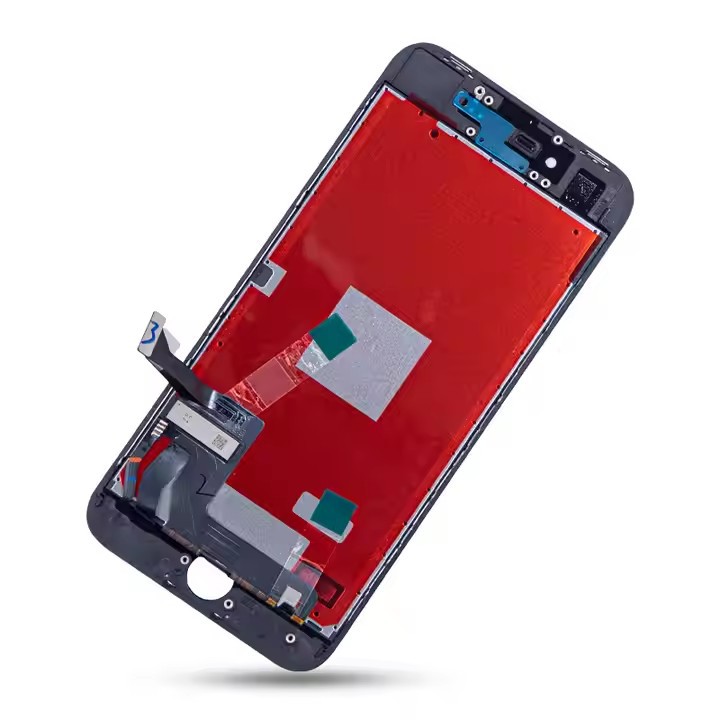
If the problem is with the LCD screen itself, you'll need to replace it. You can purchase a replacement LCD screen from a reputable supplier like us. We offer high-quality IPhone 8 OEM LCD Screen Replacement at competitive prices. Our screens are tested to ensure they meet the highest standards of quality and performance.
If you're not comfortable replacing the screen yourself, you can take your phone to a professional repair shop. Make sure to choose a shop that has experience working with iPhone 8 screens and uses high-quality replacement parts.
Why Choose Us as Your LCD Replacement Supplier For IPhone 8
As an LCD Replacement Supplier For IPhone 8, we take pride in providing our customers with the best products and services. Here are some reasons why you should choose us:
- High-Quality Products: We only offer high-quality iPhone 8 LCD Screen that are tested to ensure they meet the highest standards of quality and performance.
- Competitive Prices: We offer our products at competitive prices without compromising on quality. We believe that everyone should have access to affordable, high-quality replacement parts.
- Fast Shipping: We understand that you need your replacement screen as soon as possible. That's why we offer fast shipping options to ensure you receive your order in a timely manner.
- Excellent Customer Service: Our team of experts is always available to answer your questions and provide you with the support you need. We're committed to providing our customers with the best possible experience.
If you're experiencing problems with your iPhone 8 LCD screen, don't hesitate to contact us. We're here to help you find the right solution for your needs. Whether you need a replacement screen or just some advice on how to fix your phone, we're here to assist you.
Conclusion
A black screen on your iPhone 8 can be frustrating, but it's not the end of the world. By understanding the possible causes and taking the appropriate steps to fix the problem, you can get your phone back up and running in no time. If you need a replacement LCD screen, we're here to help. We offer high-quality IPhone 8 OEM LCD Screen Replacement at competitive prices. Contact us today to learn more about our products and services and to place your order.
References
- Apple Support. (n.d.). If your iPhone screen is black or won't turn on. Retrieved from [Apple Support Website]
- iFixit. (n.d.). iPhone 8 Repair Guide. Retrieved from [iFixit Website]


