

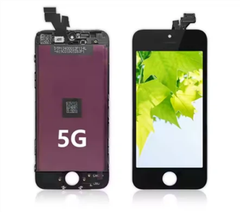
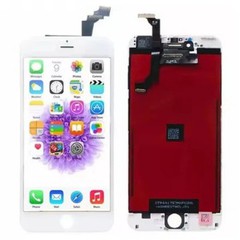
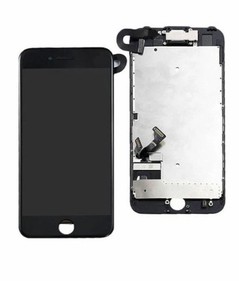
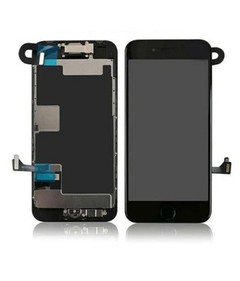

As an iPhone 8 Plus LCD Screen supplier, I understand the critical importance of ensuring the quality of the LCD screens we provide. One of the most effective ways to guarantee this quality is by using reliable apps to test the iPhone 8 Plus LCD screen. In this blog post, I'll share some of the best apps for this purpose.
1. Display Tester
Display Tester is a well - known app in the realm of screen testing. It offers a comprehensive set of tests for the iPhone 8 Plus LCD screen. This app can check for dead pixels, color accuracy, contrast, and brightness uniformity.
When it comes to dead pixel testing, Display Tester presents solid - colored backgrounds, such as pure black, white, red, green, and blue. Dead pixels will stand out as they won't change color along with the rest of the screen. For color accuracy, it provides a spectrum of colors, allowing you to compare the displayed colors with the standard color values.
The contrast test in Display Tester shows a pattern of high - contrast elements, helping you evaluate how well the screen can distinguish between light and dark areas. Brightness uniformity is also crucial, especially for a high - end device like the iPhone 8 Plus. The app can detect if there are any areas on the screen that are significantly brighter or darker than others.
To learn more about our iPhone 8 Plus LCD Screen, which is designed to pass rigorous tests like those offered by Display Tester, click on the link.
2. Screen Calibration & Test
This app not only tests the iPhone 8 Plus LCD screen but also offers calibration features. It can measure the screen's gamma, color temperature, and white balance.
Gamma is an important factor that affects how the screen displays different shades of gray. A proper gamma value ensures that details in both dark and bright areas of an image are visible. Screen Calibration & Test can accurately measure the gamma of the iPhone 8 Plus LCD screen and provide suggestions for calibration if needed.
Color temperature determines the overall warmth or coolness of the colors on the screen. A correct color temperature makes the colors look natural and true - to - life. The app can detect any deviations from the standard color temperature and guide you through the calibration process.
White balance is related to how the screen renders white colors. An incorrect white balance can make the entire screen look tinted. With this app, you can test and adjust the white balance of your iPhone 8 Plus LCD screen to achieve optimal color representation.
If you are also interested in our iPhone 8 LCD Screen, which shares some similar testing requirements, follow the link.
3. Pixelmator
Although Pixelmator is primarily known as a photo - editing app, it can be a powerful tool for testing the iPhone 8 Plus LCD screen. When you open high - resolution images with a wide range of colors and details in Pixelmator, you can closely examine the screen's performance.
You can check for color banding, which is the appearance of distinct bands of color instead of a smooth gradient. This is particularly noticeable in areas with gradual color changes, such as in a sunset or a sky image. Pixelmator allows you to zoom in on these areas and detect any signs of color banding.
It also helps in evaluating the screen's sharpness. By looking at fine details in an image, like the edges of text or the texture of an object, you can determine if the screen is capable of displaying sharp and clear visuals. If there are any blurry or jagged edges, it could indicate a problem with the LCD screen.
4. Screen Test
Screen Test is a simple yet effective app for testing the iPhone 8 Plus LCD screen. It focuses on basic but essential aspects such as touch sensitivity and screen responsiveness.
The app provides interactive tests where you need to touch different parts of the screen. It can detect if there are any unresponsive areas or if the touch input is not being registered accurately. This is crucial because a faulty touch - sensitive layer can significantly affect the user experience of the iPhone 8 Plus.
In addition to touch sensitivity, Screen Test also offers basic tests for screen brightness and color display. It can quickly give you an overview of the overall condition of the LCD screen.
5. DisplayMate
DisplayMate is a professional - grade app that offers in - depth analysis of the iPhone 8 Plus LCD screen. It provides detailed reports on various screen parameters, including color accuracy, contrast ratio, and peak brightness.
The color accuracy report in DisplayMate compares the colors displayed on the screen with a set of industry - standard color values. It calculates the Delta E value, which measures the difference between the displayed color and the ideal color. A lower Delta E value indicates higher color accuracy.
The contrast ratio test in DisplayMate measures the difference between the brightest white and the darkest black that the screen can produce. A high contrast ratio results in more vivid and lifelike images. Peak brightness is also an important factor, especially for outdoor use. DisplayMate can accurately measure the maximum brightness of the iPhone 8 Plus LCD screen and provide insights on its performance under different lighting conditions.


As a supplier of high - quality iPhone 8 Plus LCD screens, we ensure that our products can meet the high - standards set by apps like DisplayMate. If you are looking for a reliable source of iPhone 8 Plus LCD screens that can pass these strict tests, we are here to assist you.
Why Choose Our iPhone 8 Plus LCD Screens?
Our iPhone 8 Plus LCD screens are manufactured using the latest technology and high - quality materials. We conduct multiple rounds of testing using the apps mentioned above to ensure that each screen meets or exceeds industry standards.
We understand that our customers rely on the performance of the LCD screens in their devices. That's why we are committed to providing products with excellent color accuracy, high contrast ratios, and reliable touch sensitivity. Whether you are a repair shop, a wholesaler, or an individual looking for a replacement screen, our iPhone 8 Plus LCD screens are a great choice.
If you are interested in purchasing our iPhone 8 Plus LCD screens or have any questions about our products, please feel free to contact us. We are more than happy to discuss your specific requirements and provide you with the best solutions. Our team of experts is always ready to assist you in making the right decision for your business or personal needs.
References
- Display Tester app documentation
- Screen Calibration & Test app official website
- Pixelmator user guide
- Screen Test app information
- DisplayMate technical reports


