


Hey there! As a supplier of iPhone 5C LCD Screen, I've seen my fair share of folks scratching their heads over how to check the compatibility of a new iPhone 5C LCD screen. It can be a bit of a puzzle, but don't worry - I'm here to break it down for you in a way that's easy to understand.
Why Compatibility Matters
First off, let's talk about why checking compatibility is so important. You wouldn't wear shoes that don't fit, right? The same goes for your iPhone's LCD screen. If the screen isn't compatible, it won't work properly. You might end up with a blank screen, distorted colors, or even a screen that won't turn on at all. Not only is this frustrating, but it can also be a waste of your hard - earned money.
Physical Compatibility
The first thing you need to check is the physical compatibility of the LCD screen. The iPhone 5C has a specific size and shape, and the new screen needs to match it exactly.
Size and Dimensions
The iPhone 5C has a 4 - inch Retina display. When you're looking at a new LCD screen, make sure it's also a 4 - inch screen. A screen that's too big or too small won't fit into the phone's frame. You can usually find the size information in the product description. If you're not sure, you can measure your old screen (if it's still intact) and compare it to the dimensions of the new screen.
Connector Ports
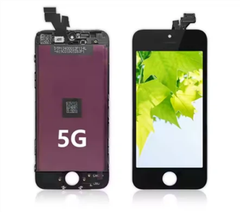
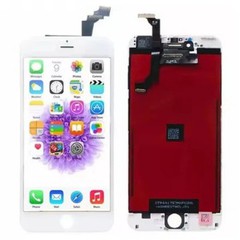
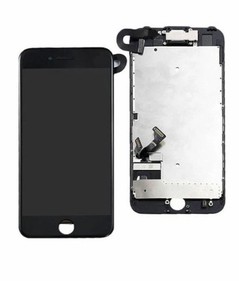
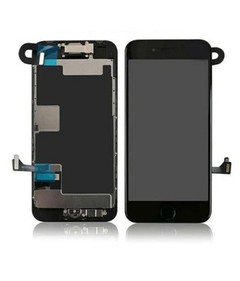
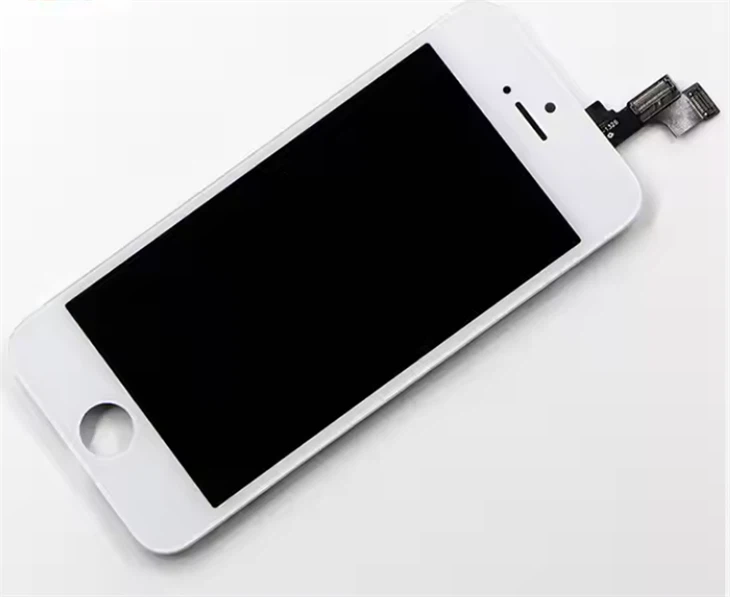
Another important aspect of physical compatibility is the connector ports. The iPhone 5C LCD screen connects to the phone's motherboard through a series of small ports. These ports need to match exactly between the new screen and your phone. If the ports don't line up, you won't be able to connect the screen properly, and it won't work.
Software Compatibility
It's not just about the physical fit; software compatibility is also crucial. The iPhone's operating system needs to recognize the new LCD screen.
Model and Version
The iPhone 5C has different models and software versions. Make sure the new LCD screen is designed for the specific model of your iPhone 5C. For example, if you have an iPhone 5C with a particular region - specific model, the screen should be compatible with that model. Also, check if the screen is compatible with the software version running on your phone. Some older screens might not work well with the latest iOS updates.

Calibration
Once you've installed the new LCD screen, your phone might need to calibrate it. This is a process where the phone adjusts the settings of the screen to ensure it displays colors and images correctly. Usually, the phone will do this automatically, but in some cases, you might need to go into the settings and manually calibrate the screen.
Comparing with Other iPhone 5 Series Screens
It's easy to get confused between the iPhone 5C, iPhone 5S LCD Screen, and iPhone 5 LCD Screen. While they are part of the same series, they have some differences.
iPhone 5C vs iPhone 5S
The iPhone 5C and iPhone 5S look similar, but they have different internal components. The iPhone 5S has a more advanced processor and some additional features. The LCD screens for these two models are not interchangeable. The connector ports and the software requirements are different, so make sure you're getting the right screen for your iPhone 5C.
iPhone 5C vs iPhone 5
The iPhone 5 is the predecessor of the iPhone 5C. Although they have a similar 4 - inch screen size, there are still differences in the connector ports and the overall design. The iPhone 5C has a more colorful and plastic - based exterior, and its internal components are also slightly different. So, don't assume that an iPhone 5 LCD screen will work with your iPhone 5C.
Testing the Compatibility
Once you've received the new LCD screen, it's a good idea to test it before fully installing it in your phone.
Dry Fit
Do a dry fit first. This means placing the new screen in the phone's frame without actually connecting it to the motherboard. Check if it fits properly and if all the holes and cutouts line up. If there are any obvious gaps or misalignments, the screen might not be compatible.
Power On Test
If the dry fit looks good, you can try a power - on test. Connect the screen to the motherboard (be very careful when doing this) and power on the phone. If the screen lights up and displays the normal startup screen, that's a good sign. Check for any dead pixels, color distortion, or other display issues.
Quality Assurance from a Supplier
As a supplier of iPhone 5C LCD screens, we take quality assurance very seriously. We test each screen before shipping it out to ensure that it's compatible with the iPhone 5C. We use advanced testing equipment to check for things like pixel quality, color accuracy, and touch sensitivity.
Warranty and Support
We also offer a warranty on our LCD screens. If you have any issues with compatibility or the performance of the screen, you can contact us, and we'll do our best to resolve the problem. Our customer support team is always ready to help you with any questions or concerns you might have.
Conclusion
Checking the compatibility of a new iPhone 5C LCD screen is an important step to ensure that you get a screen that works properly. By checking the physical and software compatibility, comparing it with other iPhone 5 series screens, and testing it before full installation, you can avoid a lot of headaches.
If you're in the market for a high - quality and compatible iPhone 5C LCD screen, look no further. We're here to provide you with the best products and support. Feel free to reach out to us if you have any questions or if you're ready to make a purchase. We're eager to start a conversation and help you find the perfect LCD screen for your iPhone 5C.
References
- Apple Inc. Product specifications for iPhone 5C.
- Industry standards for smartphone LCD screens.


