

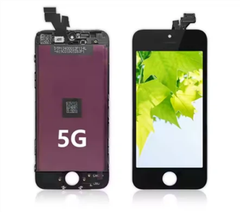
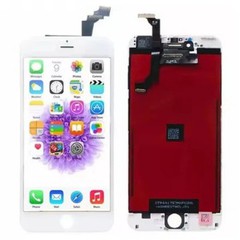
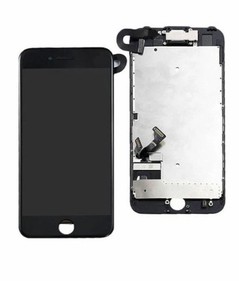
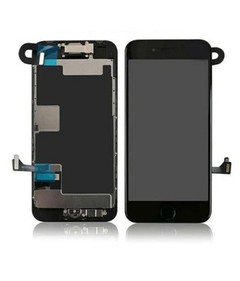
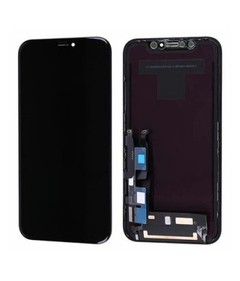
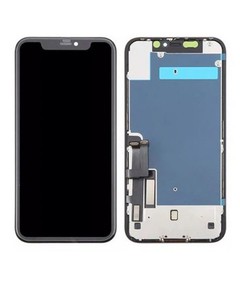
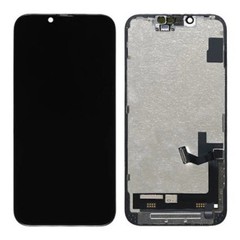

Hey there, folks! As a supplier of iPhone XR LCD screens, I often get asked a bunch of questions, and one that pops up a lot is, “How long does it take to replace the iPhone XR LCD screen?” Well, I’m here to break it down for you.
Factors Affecting the Replacement Time
First off, let’s talk about the factors that can influence how long this whole replacement process takes. It’s not a one - size - fits - all situation, and there are quite a few things at play.
Technician Experience
The skill level of the person doing the replacement is a huge deal. A seasoned technician who’s been replacing iPhone screens for years is gonna be a lot faster than someone who’s just starting out. An experienced pro can probably whip through the process in about 30 to 45 minutes. They know exactly where all the screws are, how to disconnect the cables without damaging them, and how to fit the new LCD screen in just right.
On the flip side, a newbie might take an hour or even longer. They have to double - check every step, and there’s a higher chance of making mistakes that could slow them down. For example, they might accidentally strip a screw or have trouble getting the adhesive to stick properly.
Availability of Tools
Having the right tools is crucial. If you’ve got all the specialized tools needed for an iPhone XR screen replacement, like a precision screwdriver set, a suction cup, and a pry tool, the job will go much more smoothly. A well - equipped repair shop with all these tools at hand can usually complete the replacement in a reasonable amount of time.
But if the tools are missing or not the right ones, it can be a real headache. For instance, using the wrong size screwdriver can damage the screws, and then you have to spend extra time trying to remove the damaged ones. This can easily add another 15 to 30 minutes to the replacement process.
Screen Quality and Compatibility
The quality and compatibility of the LCD screen you’re using also matter. If you’re using a high - quality, genuine or well - made aftermarket screen that’s specifically designed for the iPhone XR, it will fit perfectly, and the replacement will be quicker.
However, if you try to use a low - quality or incompatible screen, you might run into all sorts of problems. The connectors might not line up correctly, or the screen might not function properly even after it’s installed. This can lead to multiple attempts at fitting the screen, testing it, and making adjustments, which can easily double or triple the replacement time.
The Step - by - Step Replacement Process
Now, let’s take a look at the actual steps involved in replacing an iPhone XR LCD screen and how long each step might take.
Step 1: Preparation (5 - 10 minutes)
Before you start taking the phone apart, you need to gather all the necessary tools and materials. This includes the new LCD screen, a set of screwdrivers, a suction cup, and a pry tool. You also need to power off the iPhone and make sure you have a clean, well - lit workspace. This initial preparation usually takes about 5 to 10 minutes, depending on how organized you are.
Step 2: Removing the Bottom Screws (2 - 3 minutes)
There are two small screws at the bottom of the iPhone XR. Using the appropriate screwdriver, you need to carefully remove these screws. This step is pretty quick and usually takes only 2 to 3 minutes. But you have to be careful not to lose the screws, as they’re tiny and easy to misplace.
Step 3: Separating the Display Assembly (5 - 10 minutes)
Once the bottom screws are out, you use a suction cup to gently lift the front display assembly away from the back case. This step requires a bit of finesse because you don’t want to damage the cables that connect the display to the logic board. It can take anywhere from 5 to 10 minutes, especially if the adhesive is really strong.


Step 4: Disconnecting the Cables (5 - 10 minutes)
There are several cables that connect the display assembly to the logic board. You need to carefully disconnect these cables using a pry tool. This step is crucial because if you damage the cables, the phone won’t work properly. It usually takes about 5 to 10 minutes, depending on how easy it is to access the connectors.
Step 5: Removing the Old LCD Screen (3 - 5 minutes)
After the cables are disconnected, you can remove the old LCD screen from the display assembly. This step is relatively quick and usually takes about 3 to 5 minutes.
Step 6: Installing the New LCD Screen (5 - 10 minutes)
Now it’s time to install the new LCD screen. You need to carefully place it in the display assembly and make sure it’s properly aligned. Then you reconnect all the cables. This step can take 5 to 10 minutes, especially if you’re making sure everything is lined up just right.
Step 7: Reassembling the Phone (5 - 10 minutes)
Once the new screen is installed, you put the display assembly back onto the back case and reinsert the bottom screws. This final reassembly step usually takes about 5 to 10 minutes.
Step 8: Testing the Screen (5 - 10 minutes)
After the phone is reassembled, you power it on and test the new LCD screen. You check for any dead pixels, touch screen responsiveness, and color accuracy. If everything looks good, you’re done. But if there are any issues, you might have to go back and make some adjustments, which can add more time to the process.
Comparison with Other iPhone Models
It’s interesting to compare the iPhone XR screen replacement time with other models in the iPhone X series. For example, the iPhone X LCD Screen replacement process is somewhat similar, but the internal components and cable layouts are a bit different. The iPhone X has a more complex design, and the screen replacement might take a bit longer, maybe an extra 10 to 15 minutes compared to the iPhone XR.
The iPhone XS LCD Screen replacement is also in the same ballpark. The iPhone XS has a similar form factor to the iPhone XR, but again, there are some differences in the internal components that could affect the replacement time. It might take a bit more time if the technician isn’t as familiar with the XS model.
And then there’s the iPhone XS Max LCD Screen. The larger size of the iPhone XS Max means there are more areas to work around, and the cables are a bit longer. This can add another 10 to 15 minutes to the replacement process compared to the iPhone XR.
Conclusion and Call to Action
So, in general, if you’re getting your iPhone XR LCD screen replaced by an experienced technician with the right tools and a high - quality screen, it should take anywhere from 30 minutes to an hour. But as we’ve seen, there are a lot of factors that can affect this time.
If you’re in the market for an iPhone XR LCD screen, or if you’re a repair shop looking for a reliable supplier, I’m here to help. We offer top - quality iPhone XR LCD screens at competitive prices. Whether you need a small quantity for personal use or a large order for your business, we can accommodate you. Just reach out to us to start the procurement discussion, and we’ll work together to get you the best deal.
References
- Apple official repair guides
- Industry reports on smartphone screen replacement times


